1
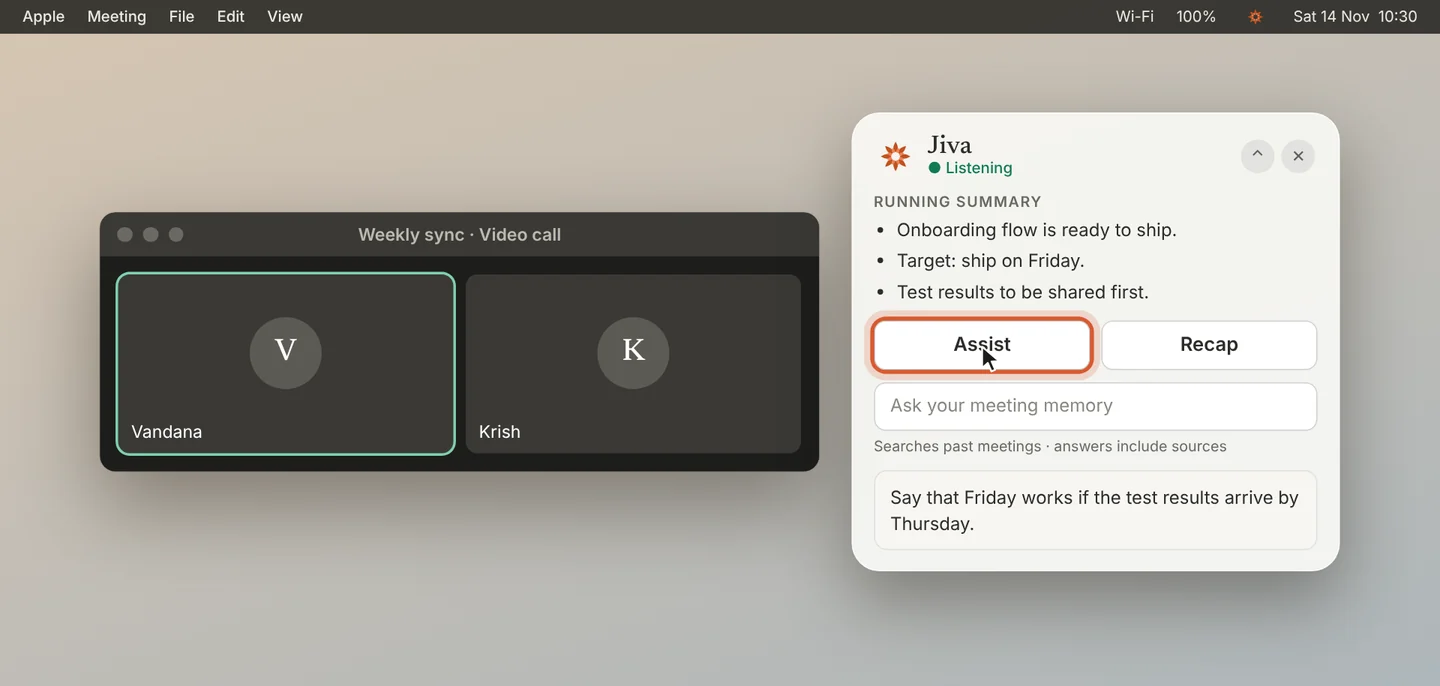
Click Assist
Click Assist in the overlay, or press ⌘ Return. Jiva reads the conversation so far and suggests what to say or do next.
2
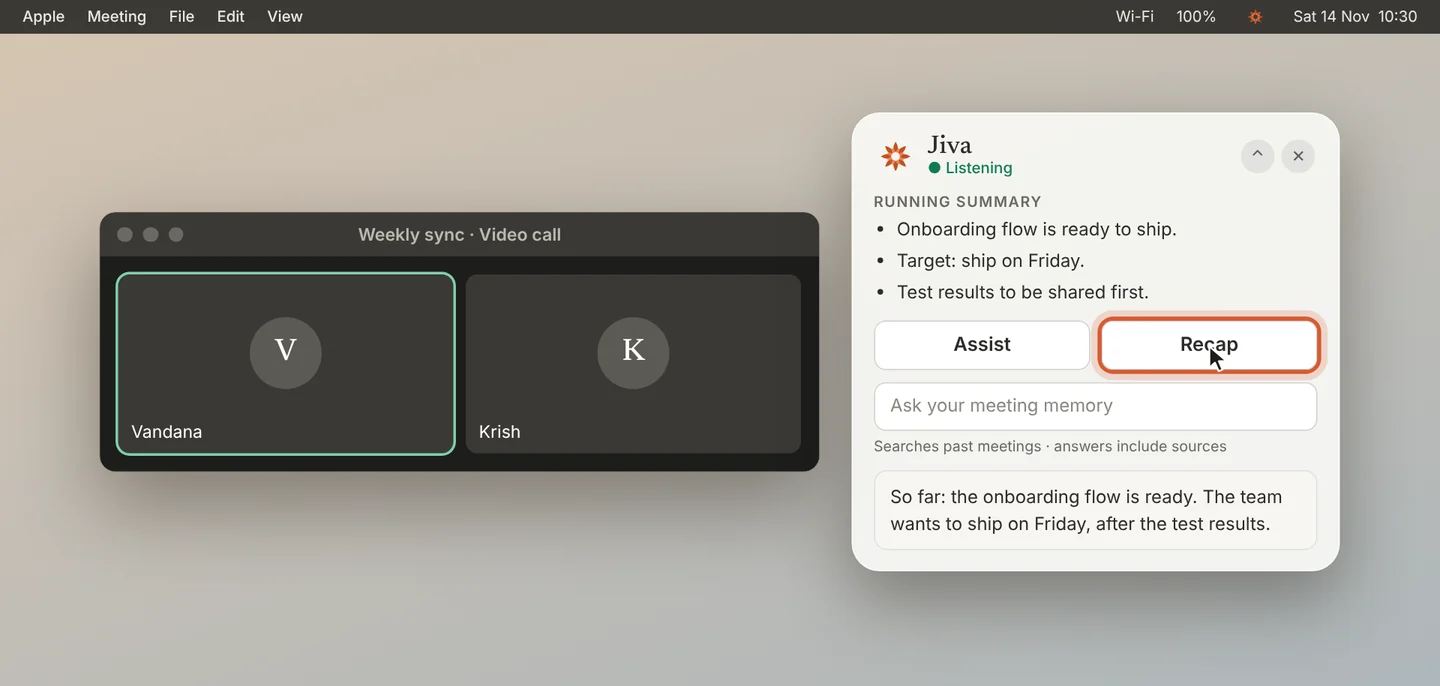
Click Recap
Click Recap for a short summary of the call so far. Use it when you joined late or lost the thread.
3
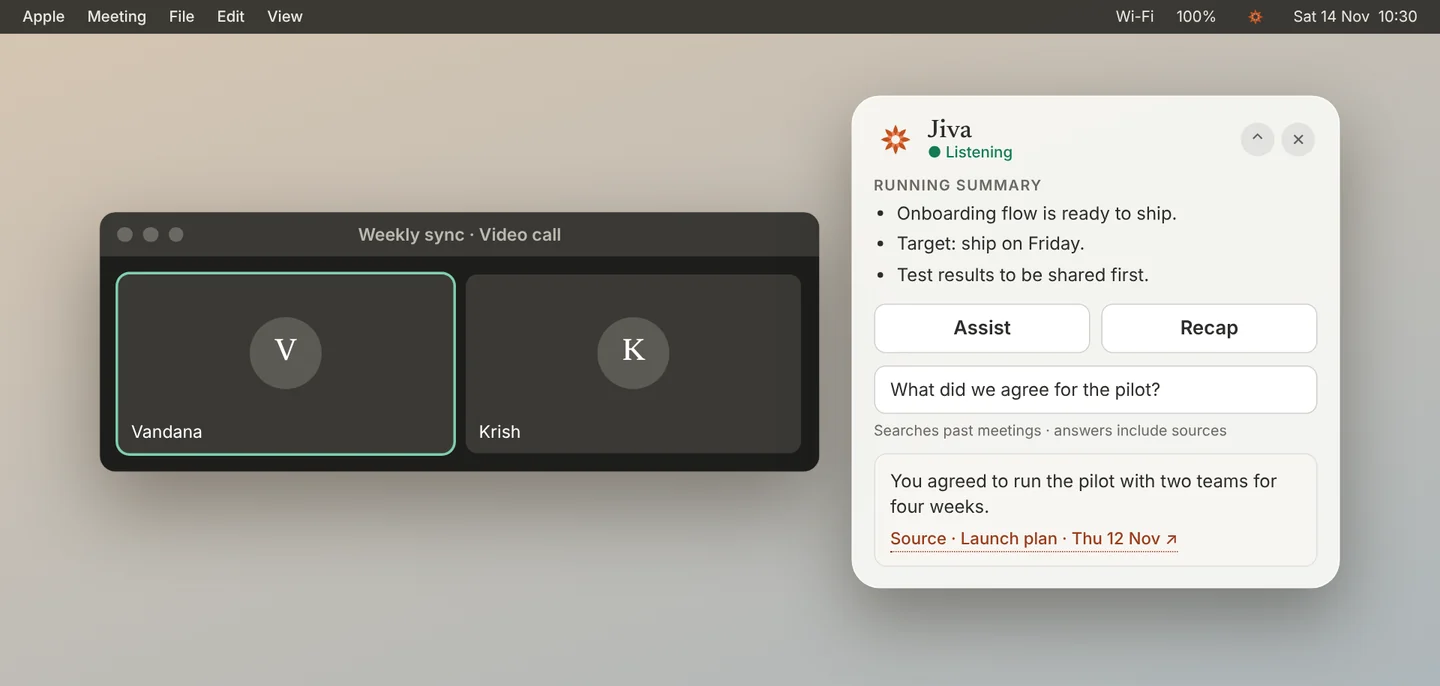
Ask your past meetings
Type a question in Ask your meeting memory and press Return. Jiva searches your past meetings and answers with its sources.
4
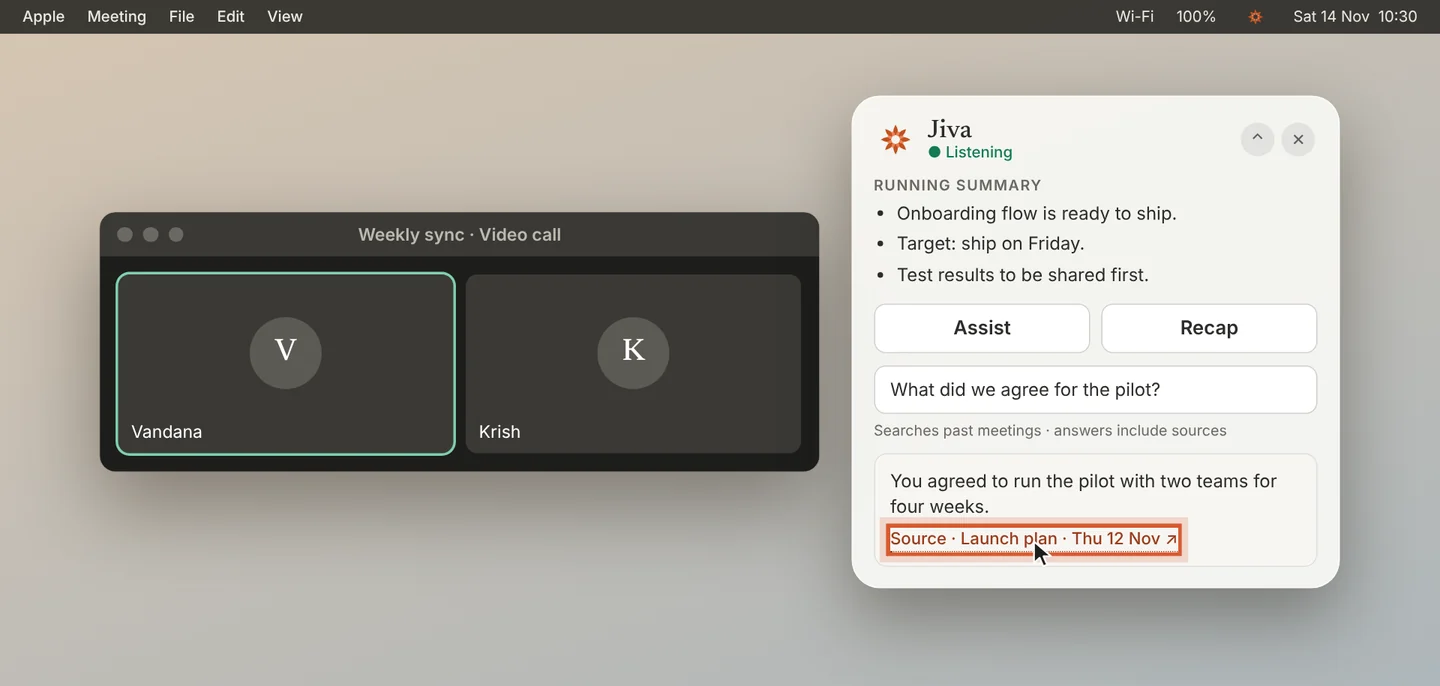
Open the source
Click Source under an answer. Jiva opens that meeting at the line the answer came from.
Good to know
While Jiva records, ⌘ Return runs Assist from any app. In an app where ⌘ Return also sends a message, click Assist instead. Assist, Recap and Ask all run on your Mac.
If something goes wrong
Ask found nothing
Ask searches meetings you have already recorded. It answers only when one of them covers your question.
Did this guide help?
Next topic · Notes and transcripts
Read your meeting notes →0:54 video · 5 steps