Chip
Apple M1 or newermacOS
14.4 or laterFree space
About 5 GB1
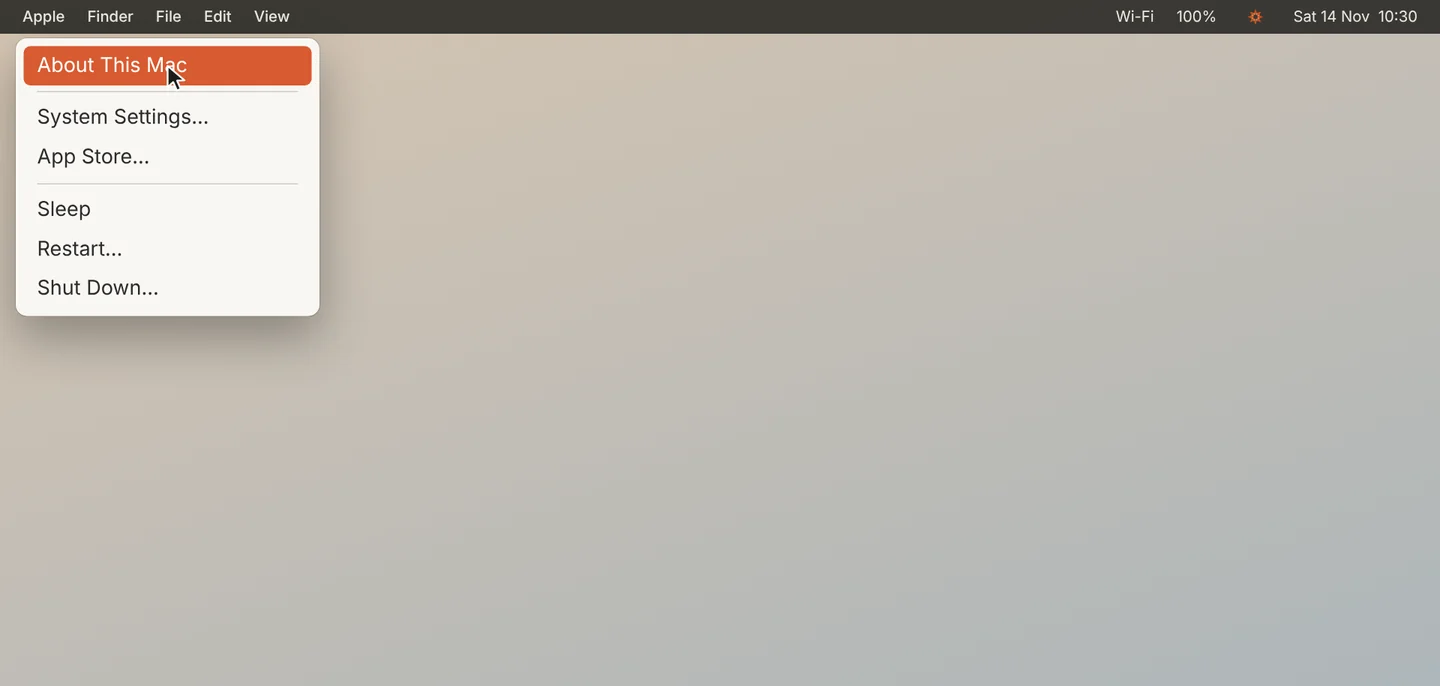
Open About This Mac
Click the Apple menu at the top left of your screen, then About This Mac.
2
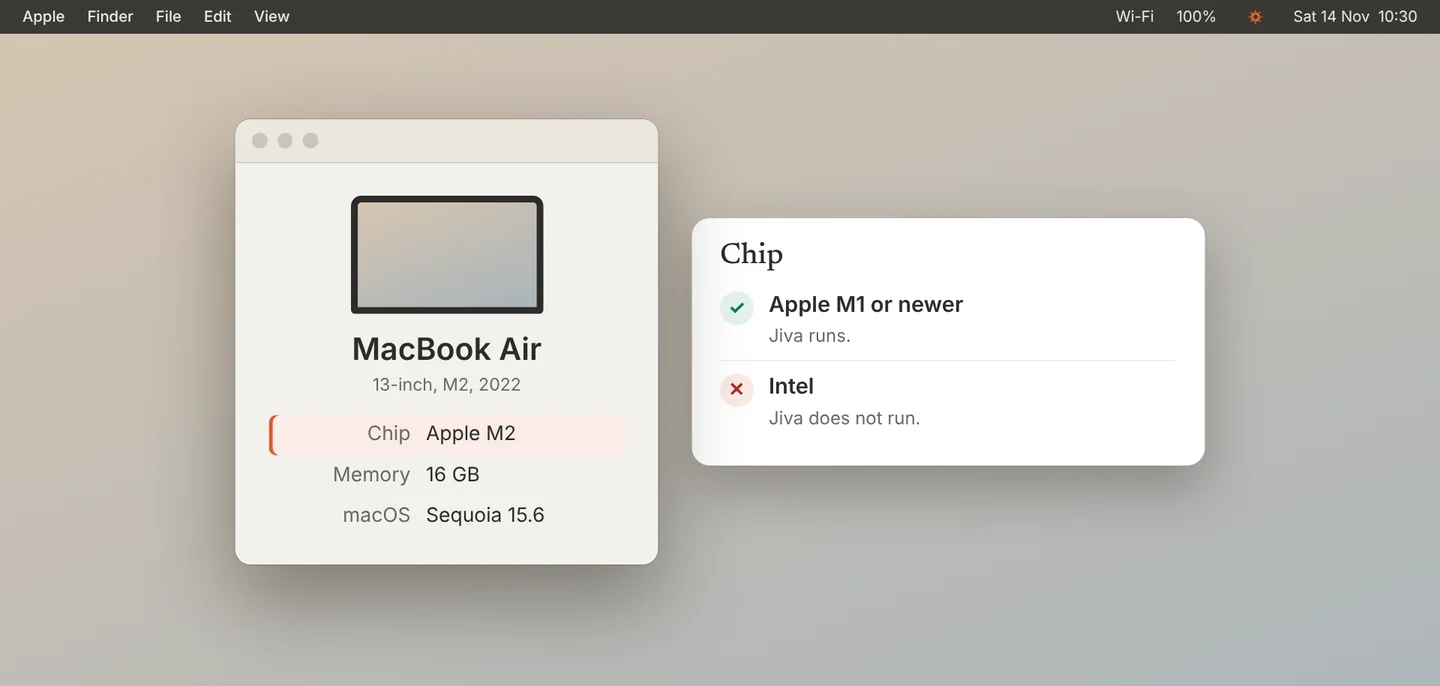
Check the chip
Look at Chip. It must say Apple M1 or newer. Jiva does not run on a Mac with an Intel processor.
3
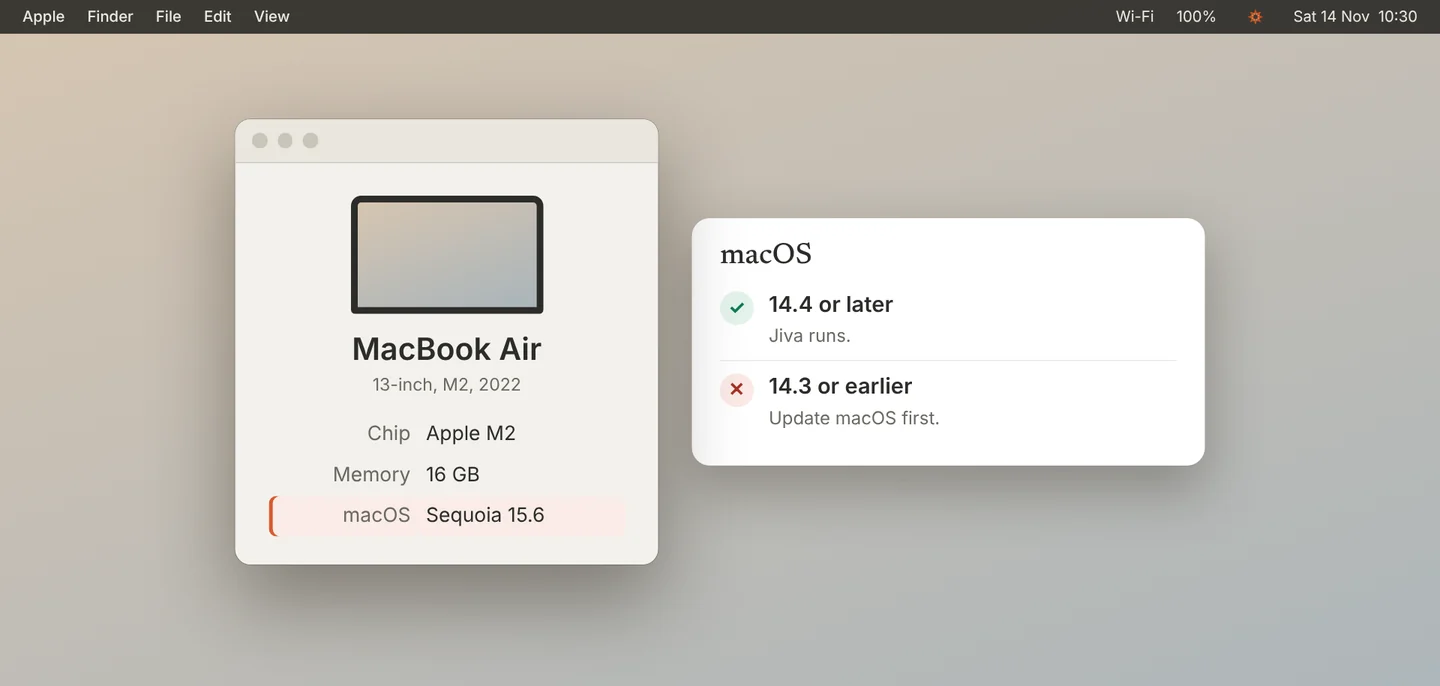
Check macOS
Look at macOS. It must be 14.4 or later. To update, open System Settings, then General, then Software Update.
4
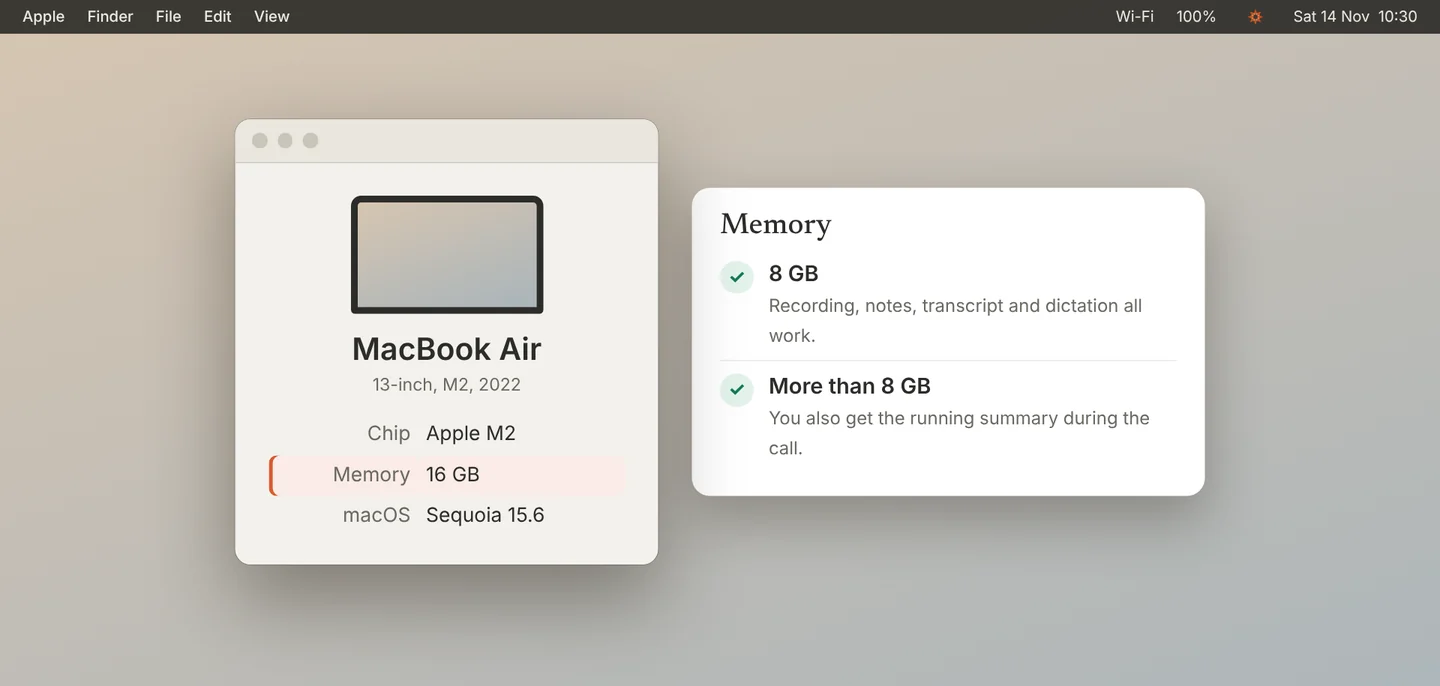
Check the memory
Look at Memory. Jiva works with 8 GB. With more than 8 GB, the overlay also shows a running summary during the call.
5
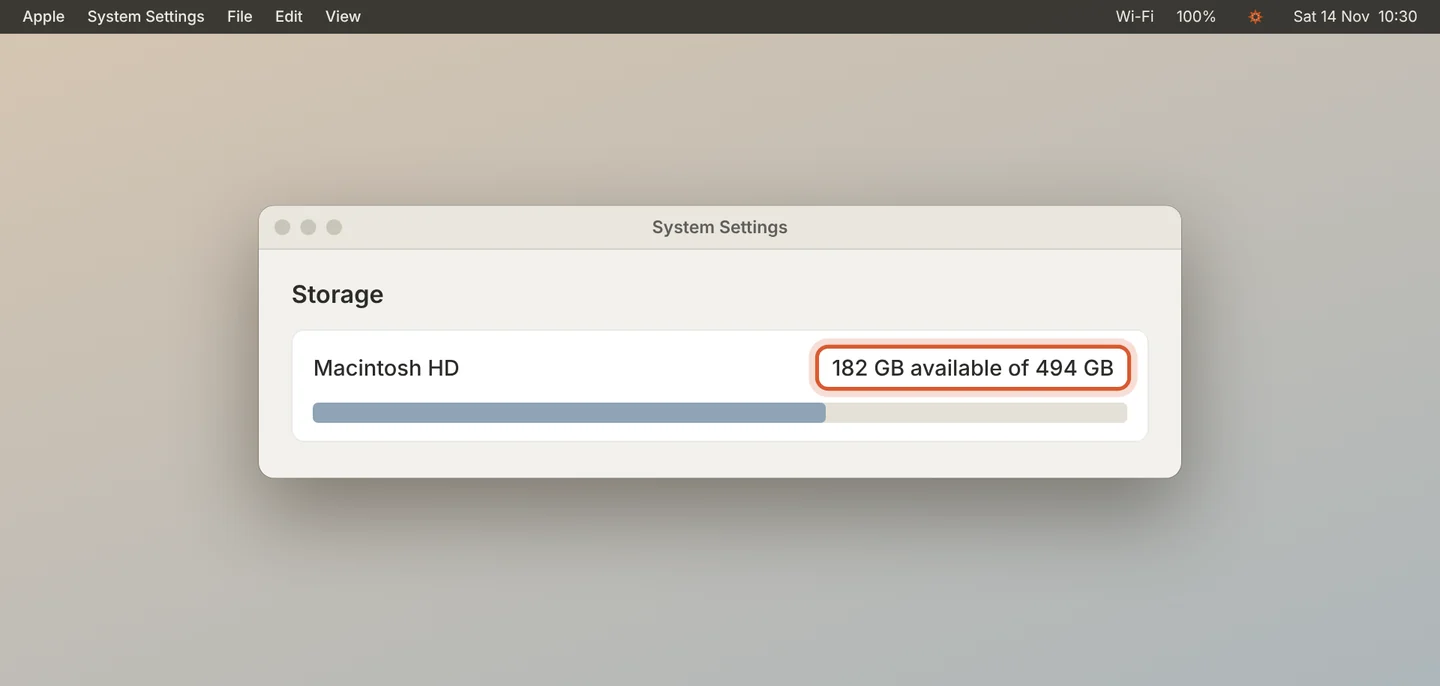
Check free space
Open System Settings, then General, then Storage. Keep about 5 GB free for Jiva and its models.
Good to know
The running summary also pauses when your Mac is in Low Power Mode or running hot. It comes back by itself.
Common questions
Does Jiva run on Windows or on an Intel Mac?
No. Jiva runs on Apple-silicon Macs with macOS 14.4 or later.
Why 14.4?
Jiva records the other side of a call with a macOS feature that arrived in 14.4.
Did this guide help?
Next · Guide 7 of 7
Keep Jiva up to date →0:55 video · 4 steps