1
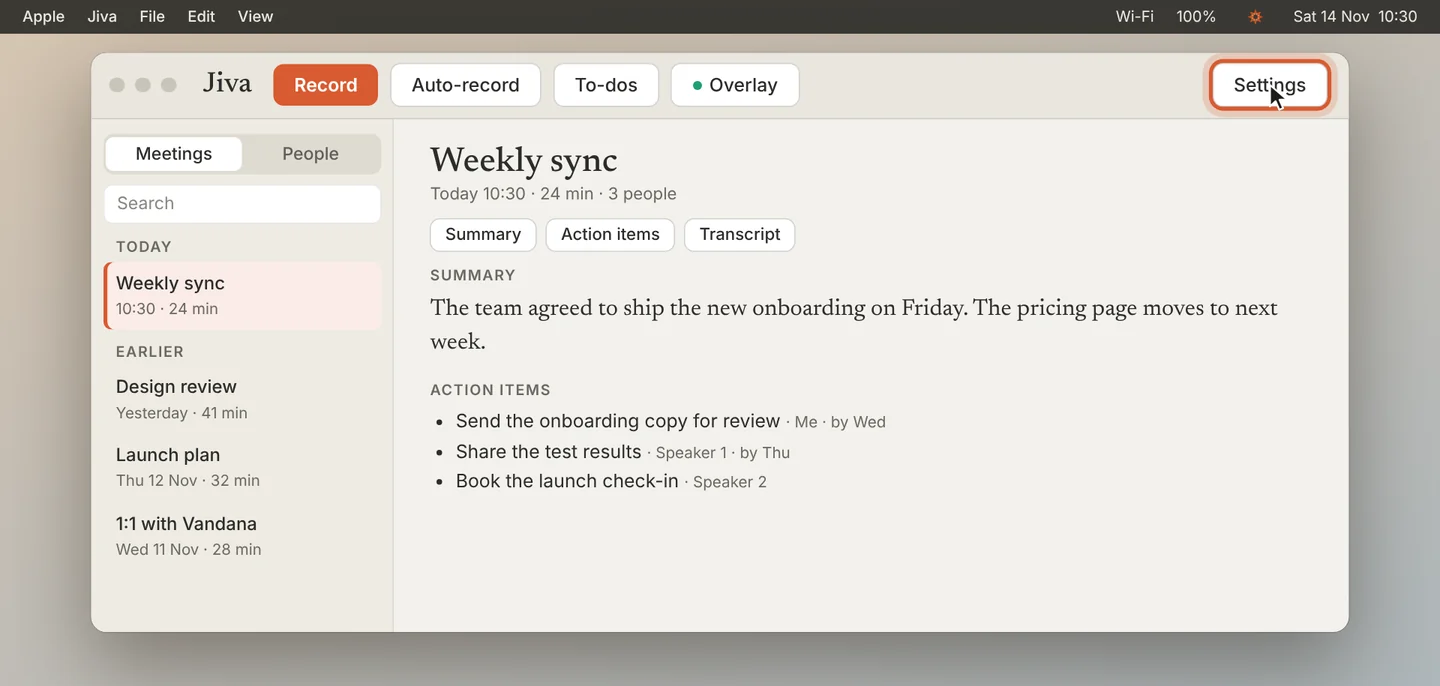
Open Recording settings
Click Settings in the Jiva window, then Recording.
2
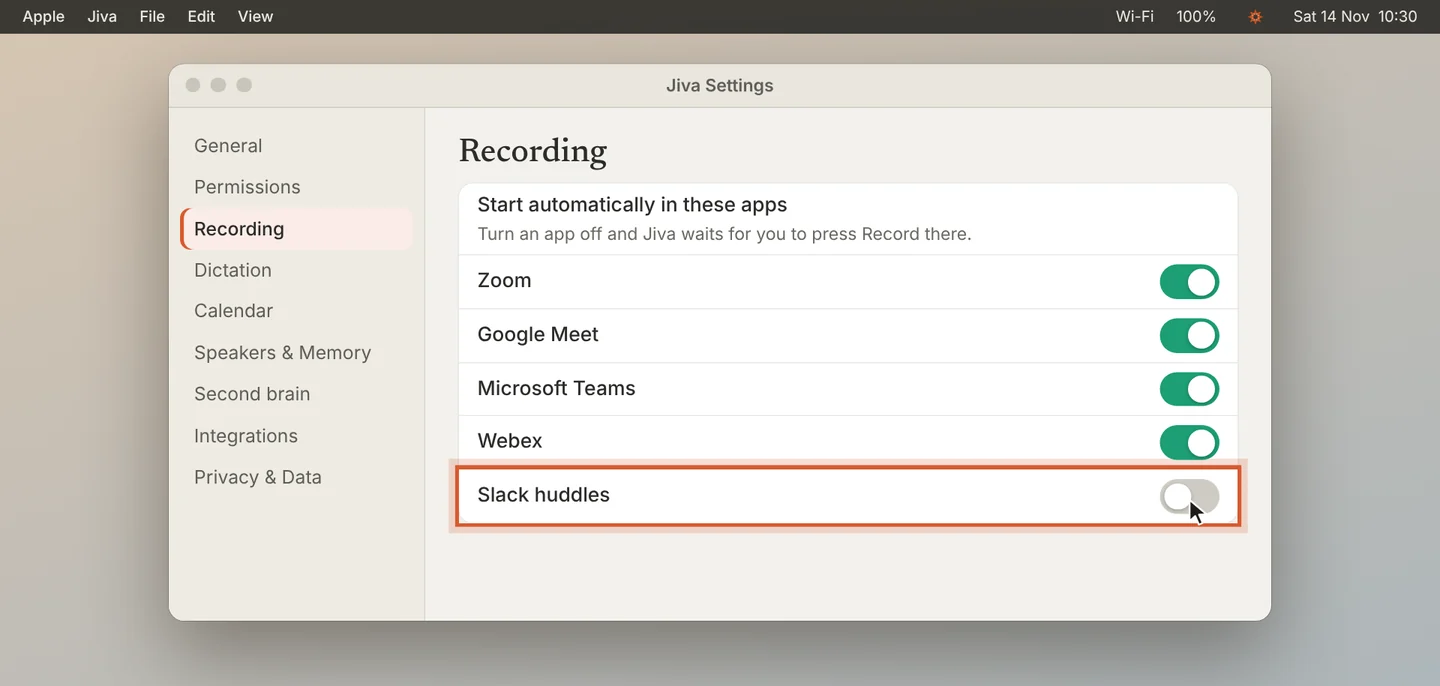
Turn an app off
Under Start automatically in these apps, turn off the app you do not want. Jiva still records the other apps by itself.
3
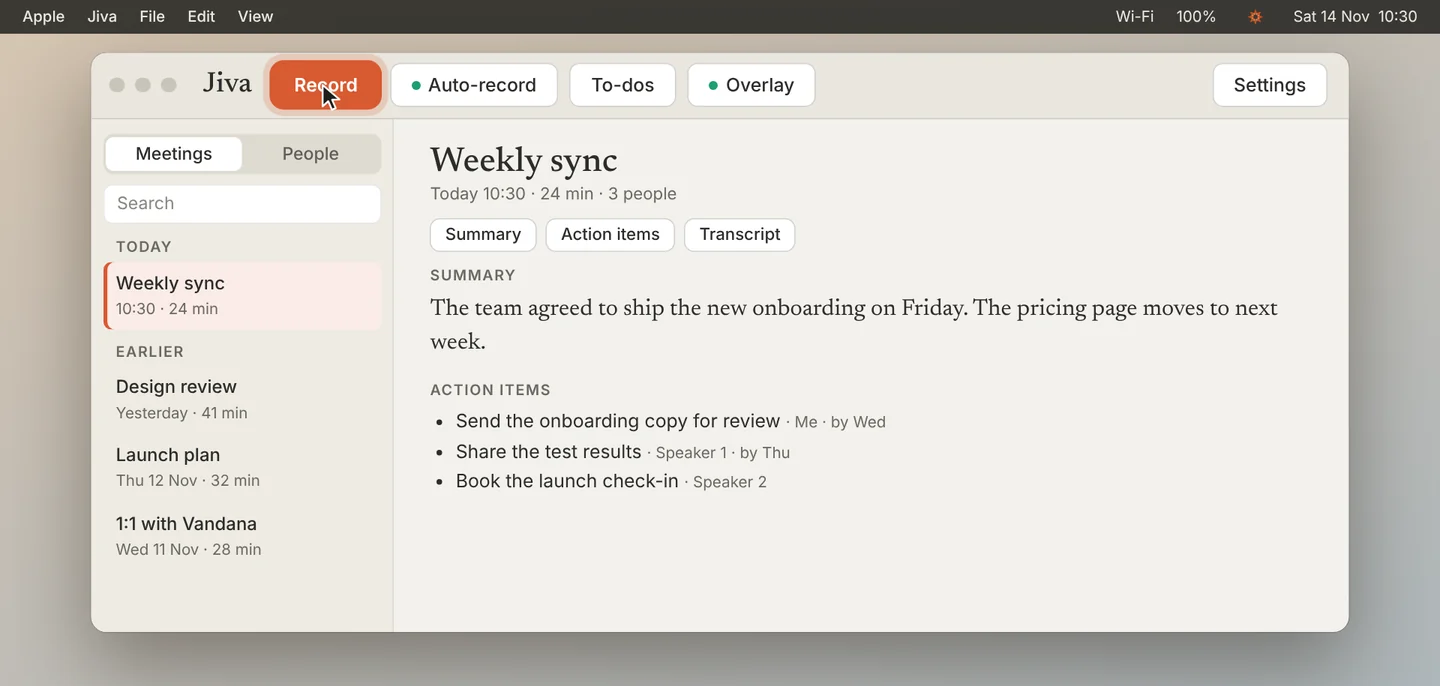
Record that app by hand
In an app you turned off, Jiva waits for you. Click Record when you want that call recorded.
If something goes wrong
The app I use is not in the list
Jiva starts by itself only in the five apps listed. For any other app, click Record; Jiva records every call that plays through your Mac.
Did this guide help?
Next · Guide 3 of 7
Start and stop a recording yourself →0:47 video · 4 steps