Needs
The second brainHappens
At the hourly runAudio
Never leaves your Mac1
See that a meeting was cleaned up
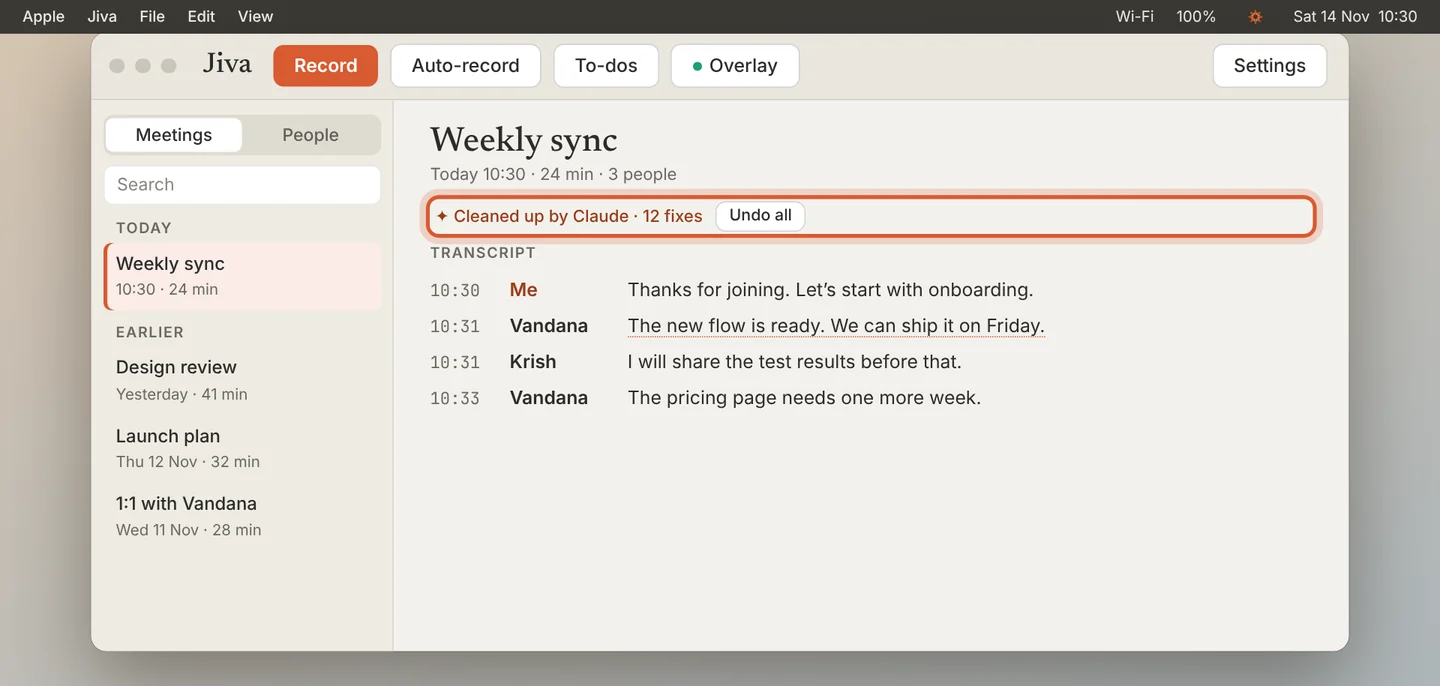
Open a meeting. If Claude changed it, a line under the title says Cleaned up by Claude and how many fixes it made.
2
Look at one fix
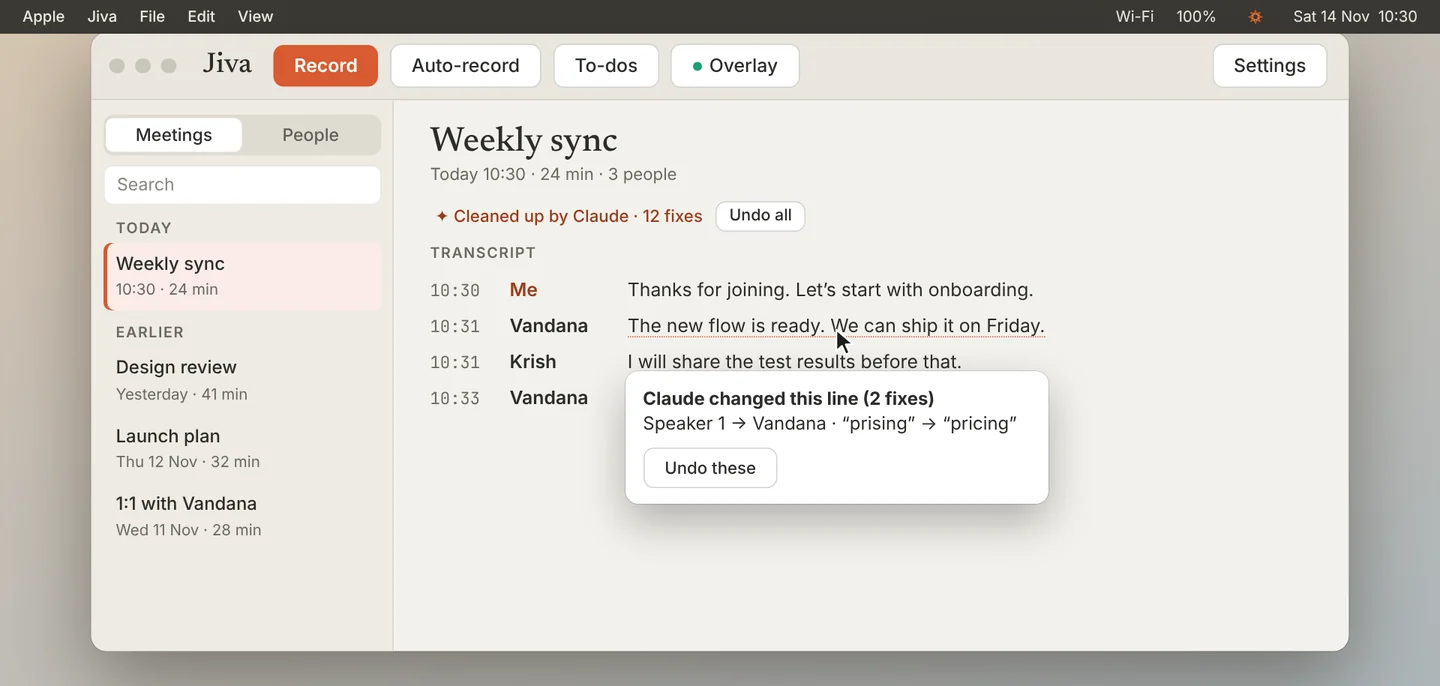
A changed line has a dotted underline. Click it to see what Claude changed. Click Undo these to put that line back.
3
Undo everything
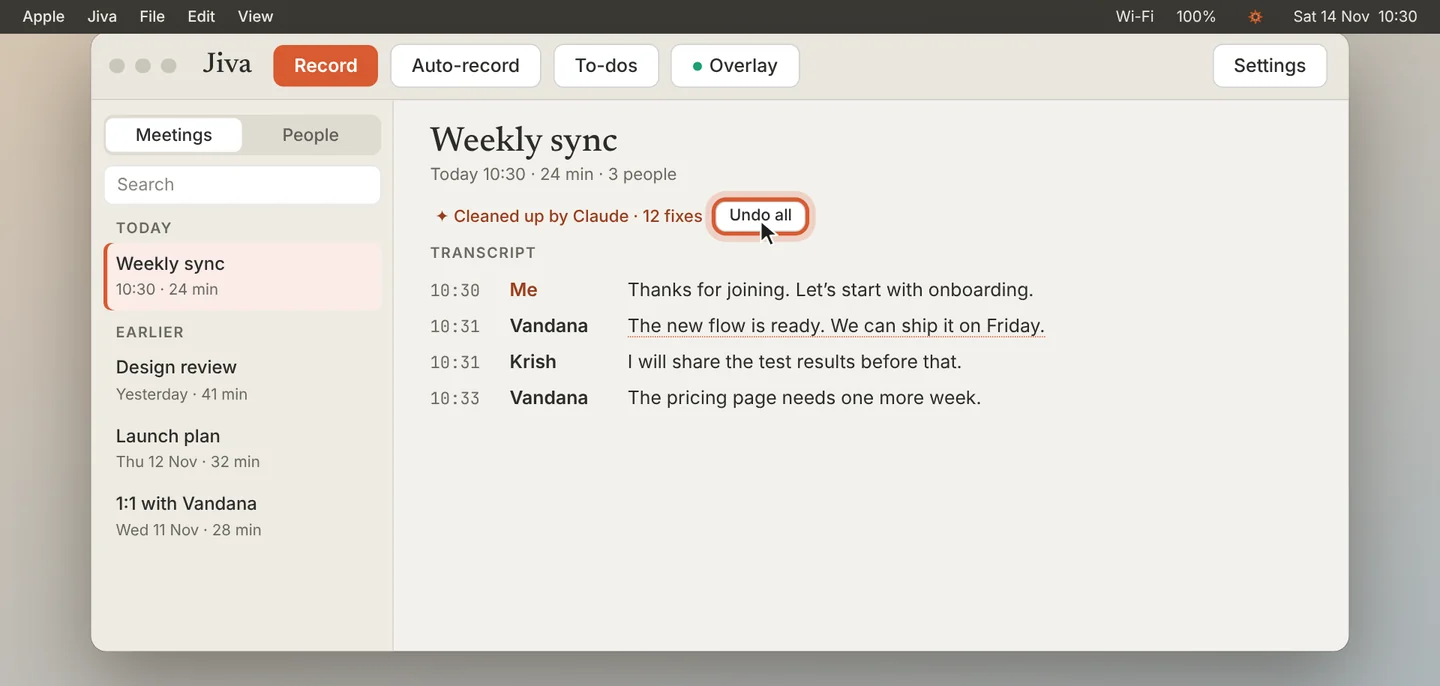
To put the whole meeting back as Jiva first wrote it, click Undo all.
Good to know
Claude corrects names and terms, says who an unnamed speaker is, and splits lines where two people were merged. Your Mac listens again to doubtful lines; the audio never leaves your Mac.
If something goes wrong
A fix was wrong
Undo it on the line. To stop the same mistake, add the right spelling to your glossary.
Did this guide help?
Next · Guide 7 of 7
Turn off the second brain →0:41 video · 3 steps