Add your kinds of work
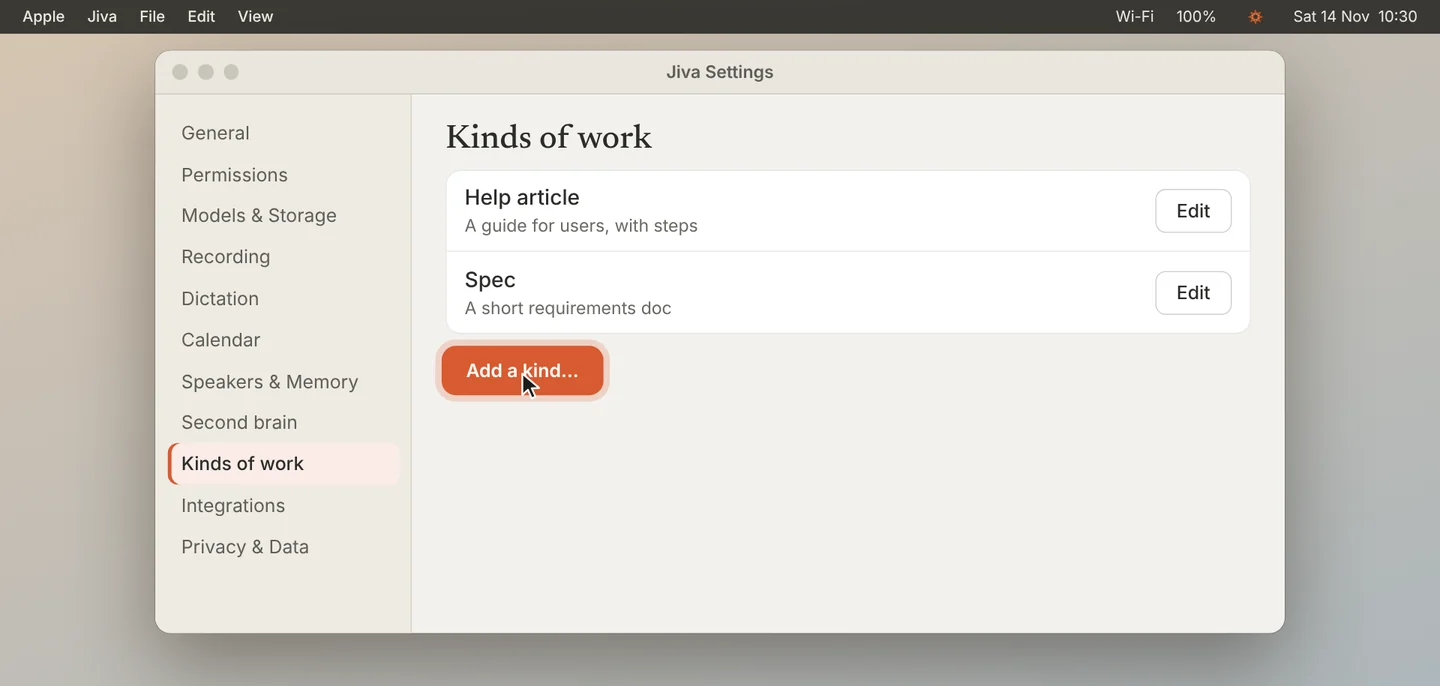
Open Settings, then Kinds of work, and click Add a kind…. A kind is a type of work you do often, such as a spec, a help article or a reply. Claude also suggests kinds as it sees your to-dos.
Give the to-do a kind
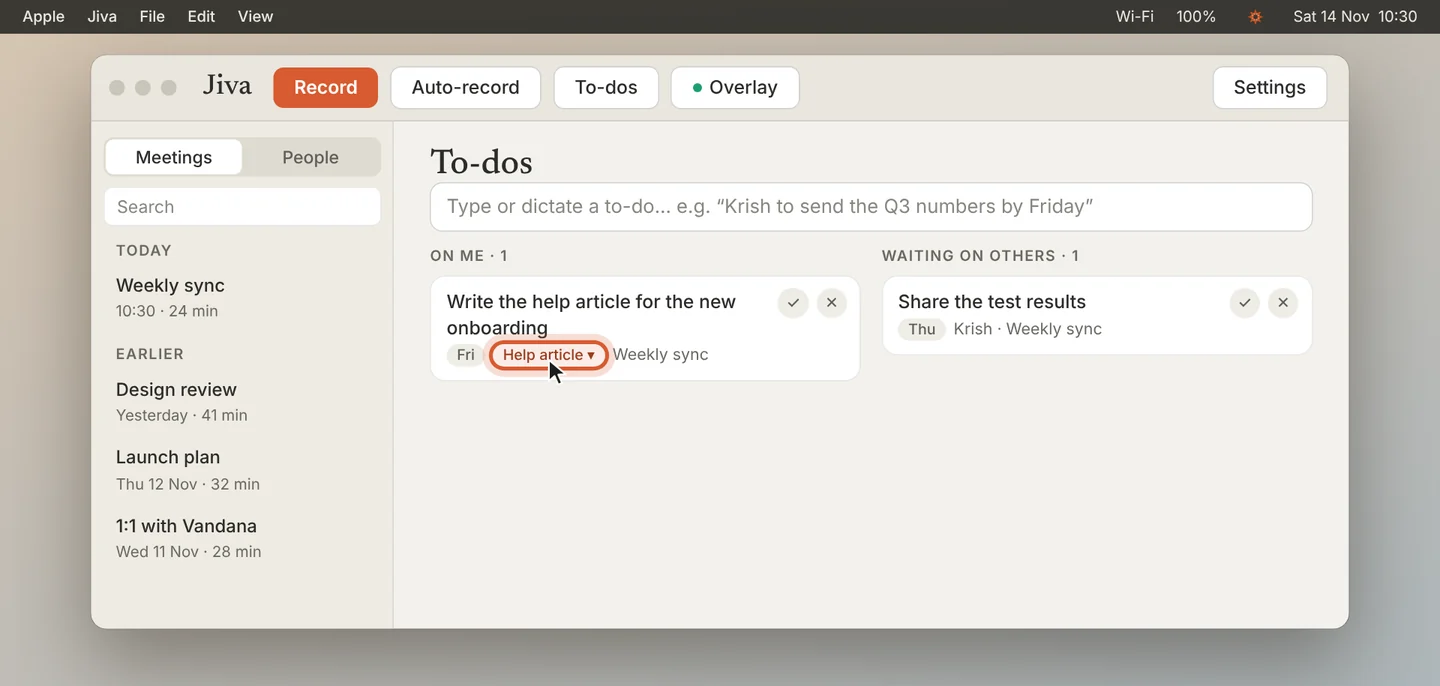
On a to-do, click Kind and pick the kind of work. Claude often picks one for you; change it here if it is wrong.
Answer the questions
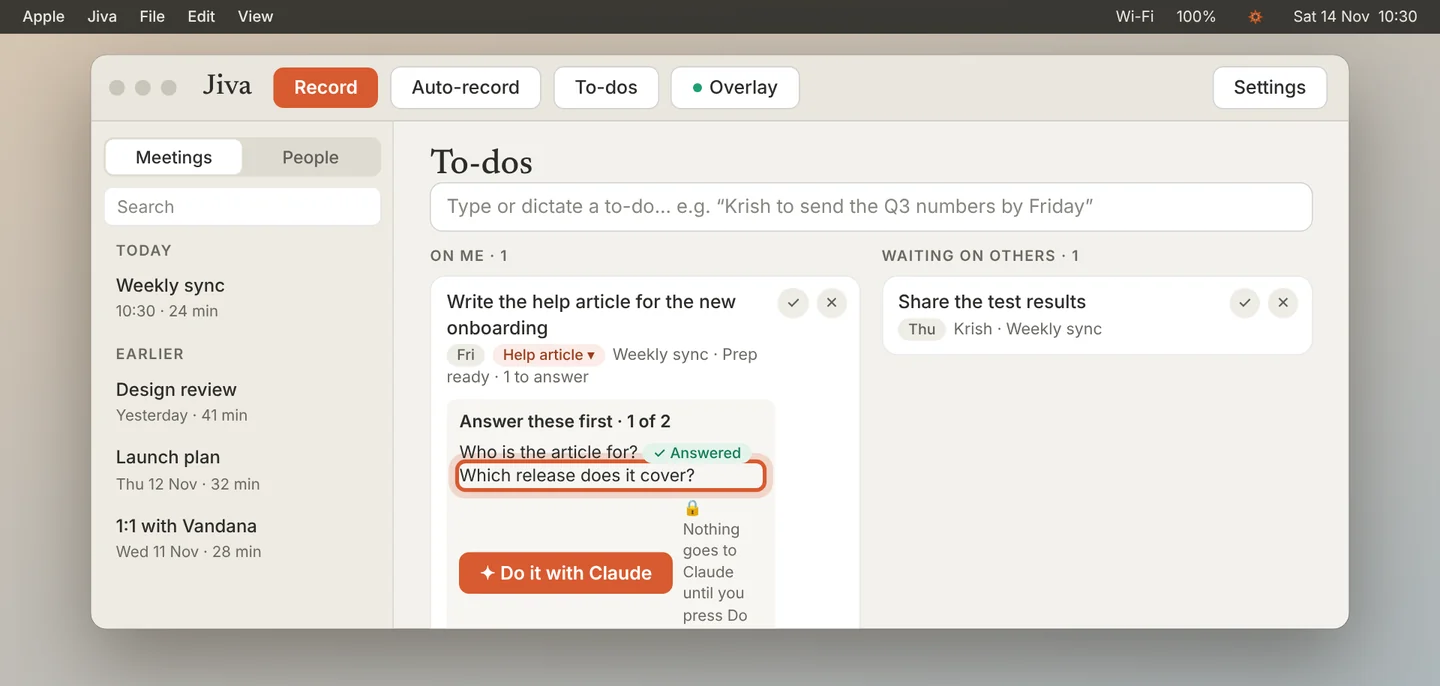
At its next hourly run, Claude writes a prep for the to-do. Click See prep. Under Answer these first, answer each question, or mark it as not sure to leave it open.
Click Do it with Claude
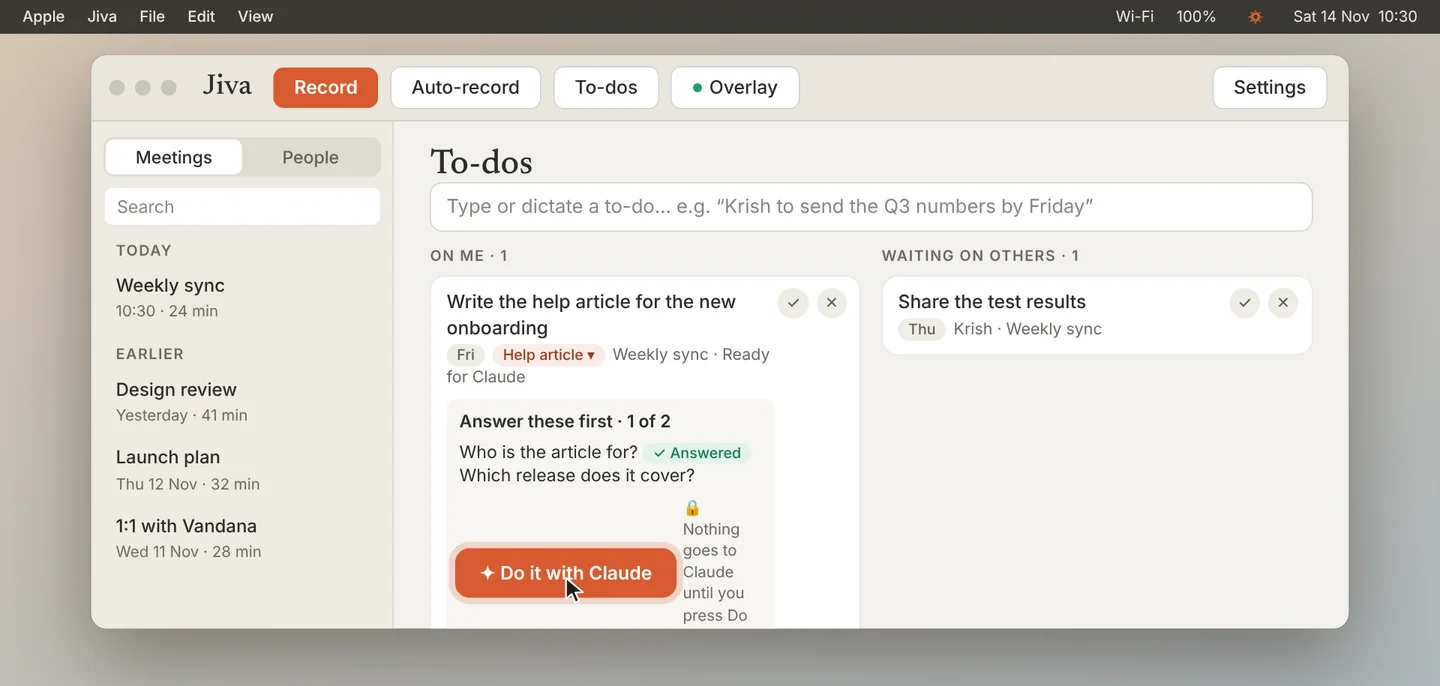
Click ✦ Do it with Claude. Nothing goes to Claude before this. Claude makes a private draft.
Open the draft
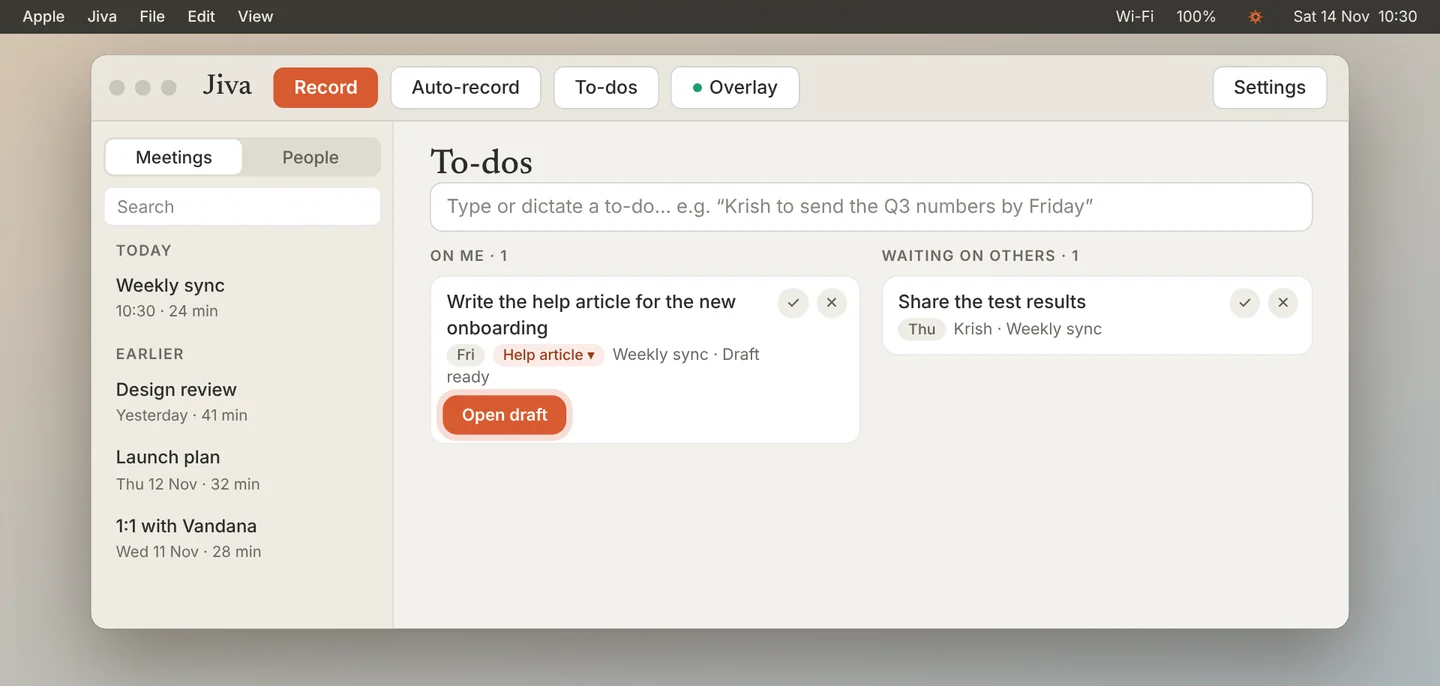
When the draft is ready, the card shows Open draft. Read it, change it, and share it yourself when you are happy with it.
Docs Claude makes are always private drafts. Sending, posting and publishing are never options. For one-off work, pick the kind Custom: Claude gathers everything related and works it out with you.
If something goes wrong
There is no prep yet
Claude writes it at the next hourly run. Click Prep now on the card to do it right away.
The draft missed the point
Tell Jiva how the draft went on the card. Claude then suggests a change to that kind of work, which you approve in Settings, Kinds of work.