Needs
The second brainShows
A few at a timeSends
Nothing1
Find a heads-up
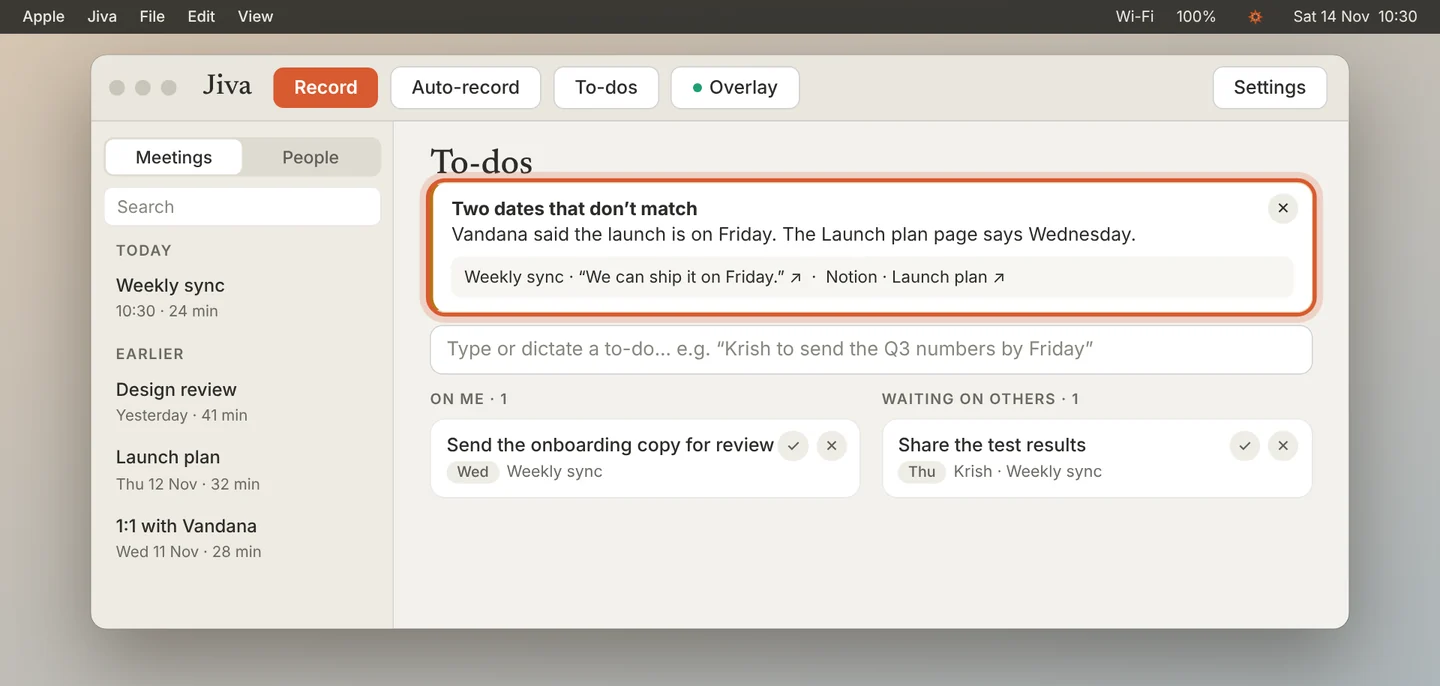
Heads-ups appear at the top of To-dos, and in the prep of the meeting they belong to. Each one says what Claude noticed.
2
Check the evidence
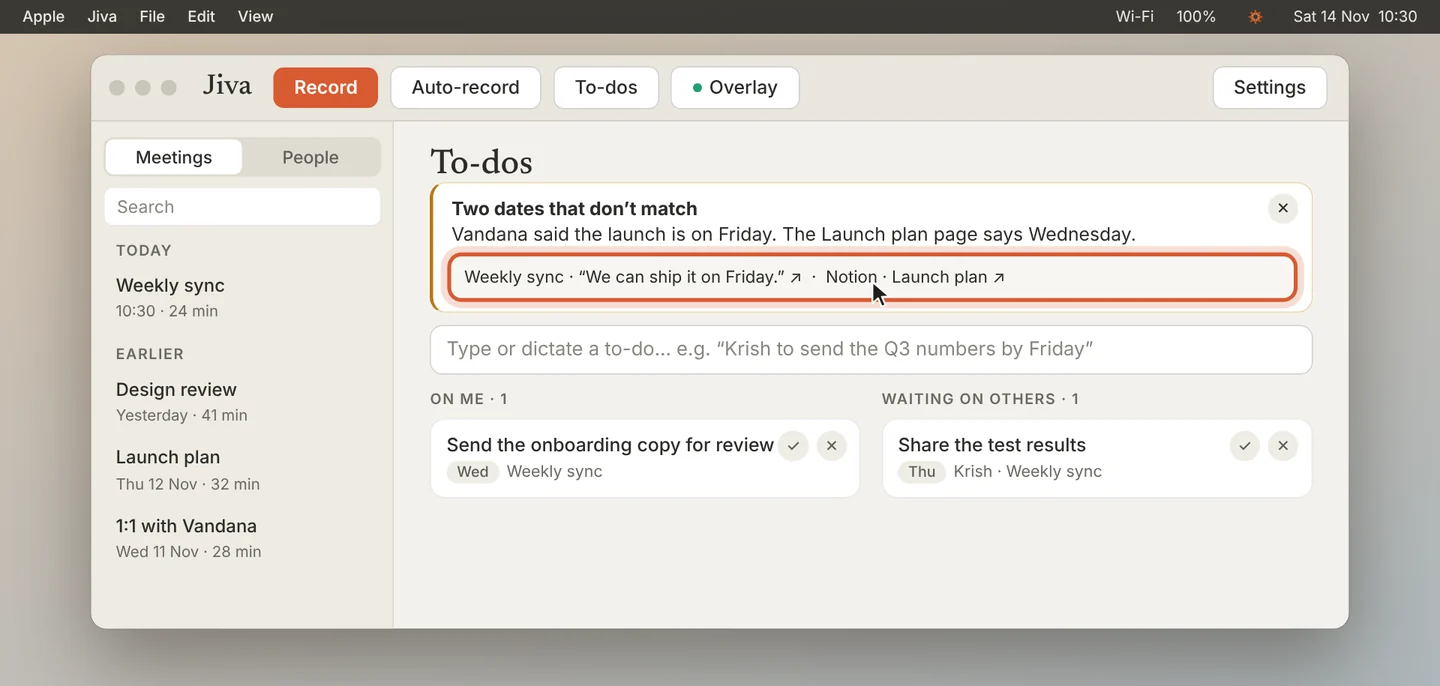
Under each heads-up are the lines it is based on. Click one to open its source: the meeting line, the message or the page.
3
Close it
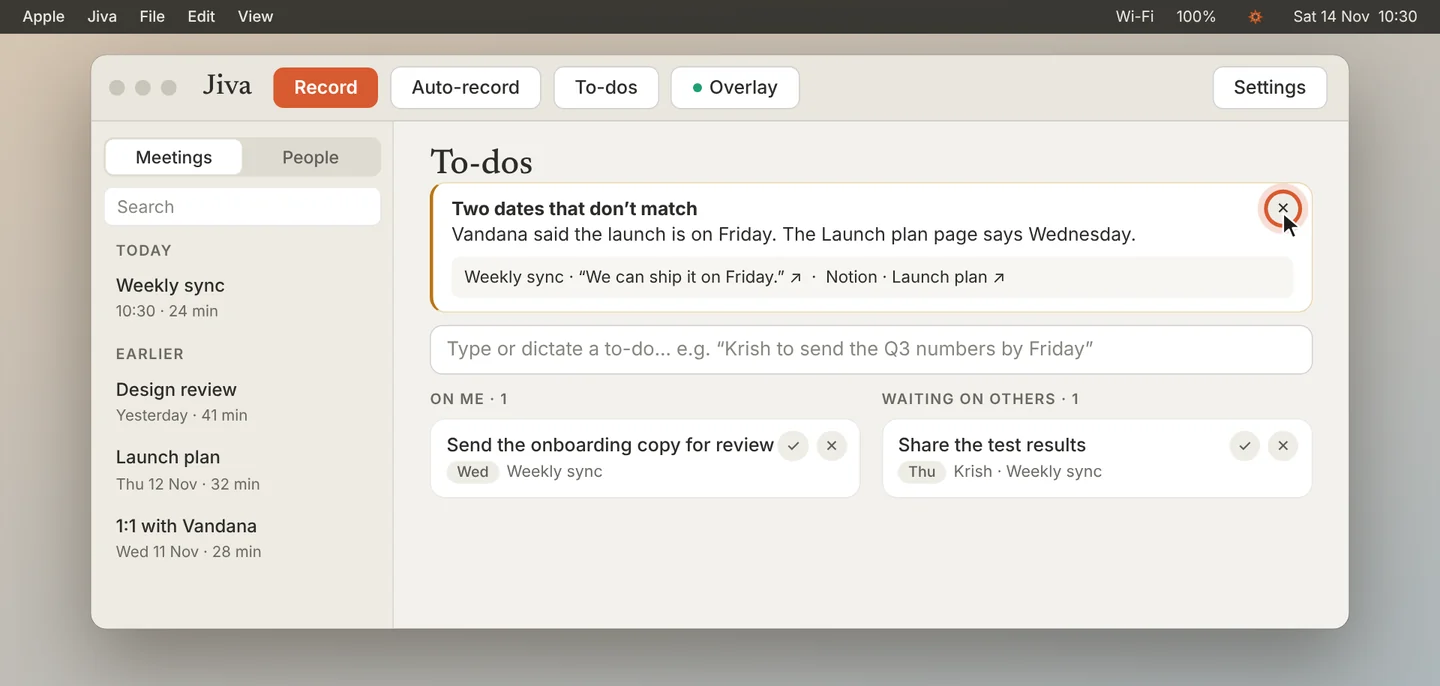
Click ✕ when you have seen it. The next most pressing heads-up takes its place. It comes back only if something new happens.
4
Choose which kinds you get
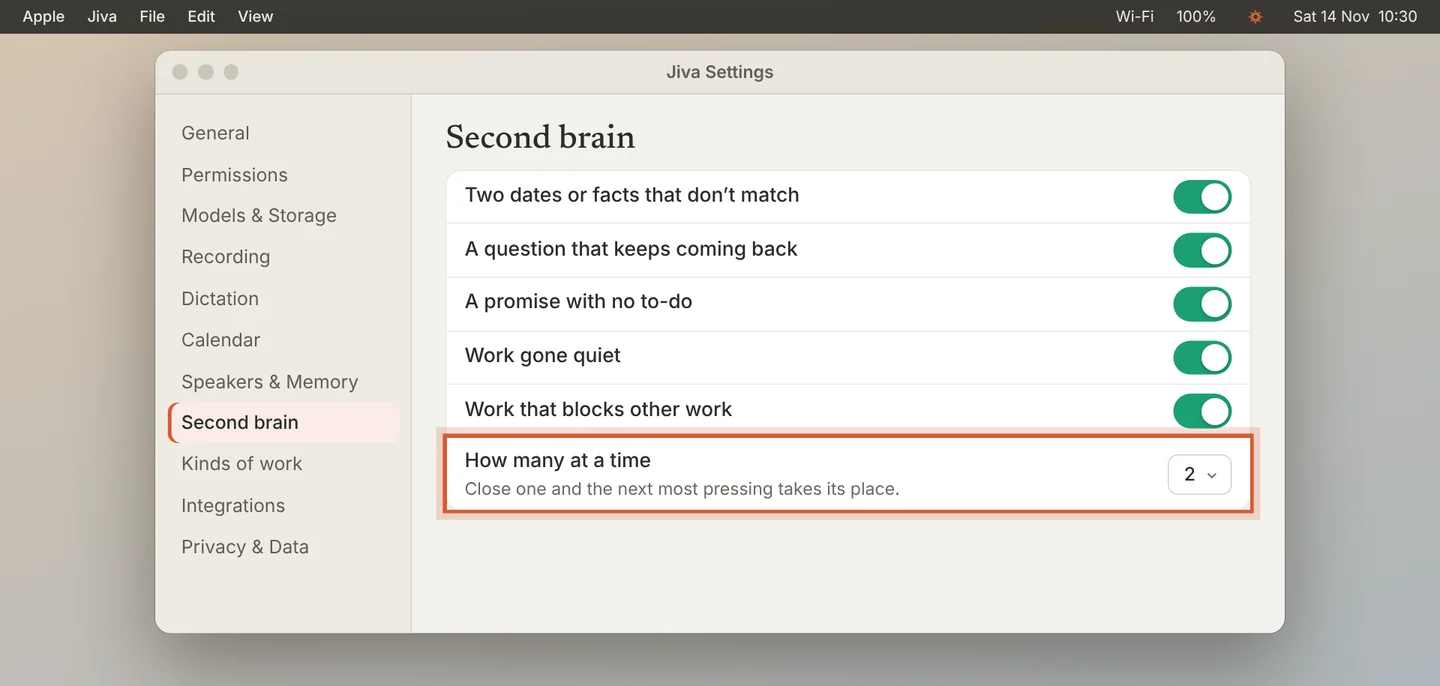
In Settings, Second brain, under Heads-ups, turn each kind on or off and set How many at a time.
Good to know
Heads-ups need the second brain. Nothing is ever sent: a heads-up only tells you.
If something goes wrong
I get no heads-ups
Claude shows one only when it has evidence. Check that the second brain is On and that the kinds are on in Settings.
Did this guide help?
Next · Guide 5 of 7
Do a to-do with Claude →0:59 video · 5 steps