Wait for Finalizing to end
After you stop, Jiva writes the notes on your Mac. The Jiva window says Finalizing… while it works. A long meeting takes longer.
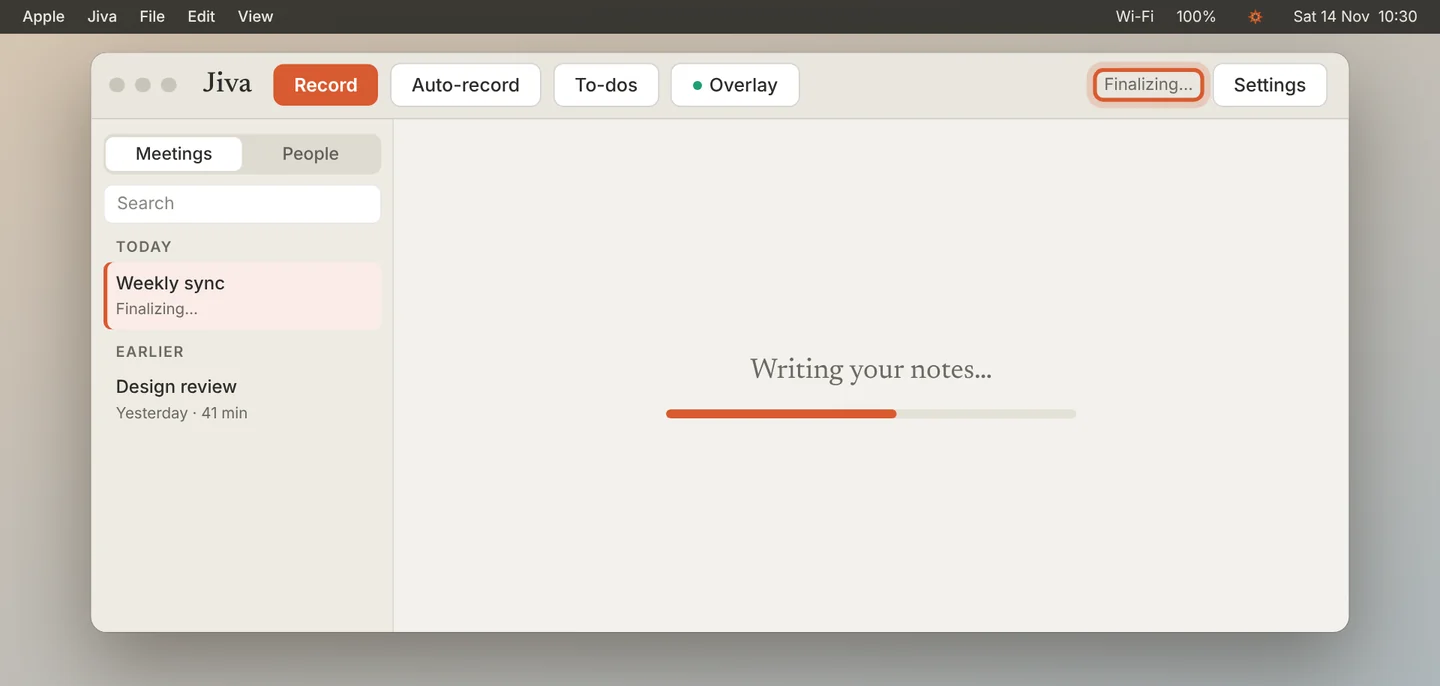
Finalize it again
If nothing appears, click the lotus in the menu bar and choose Finalize Last Meeting.
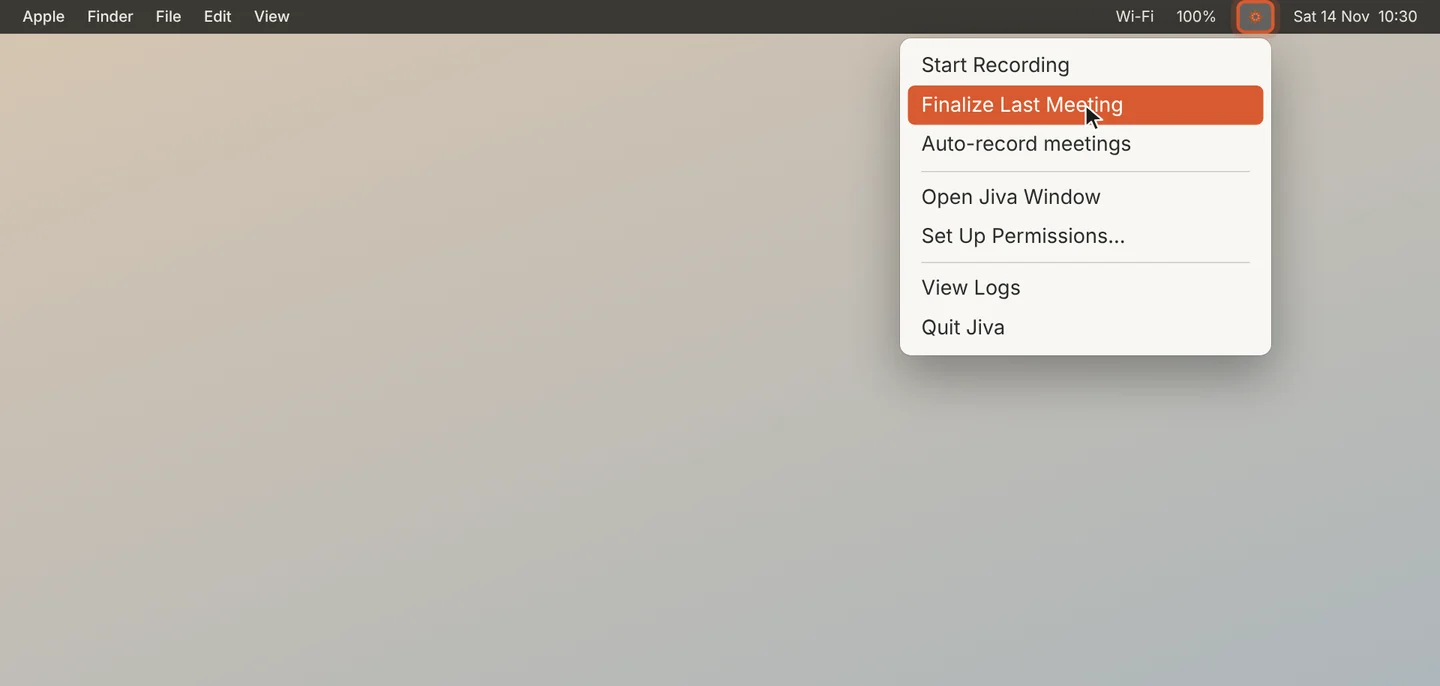
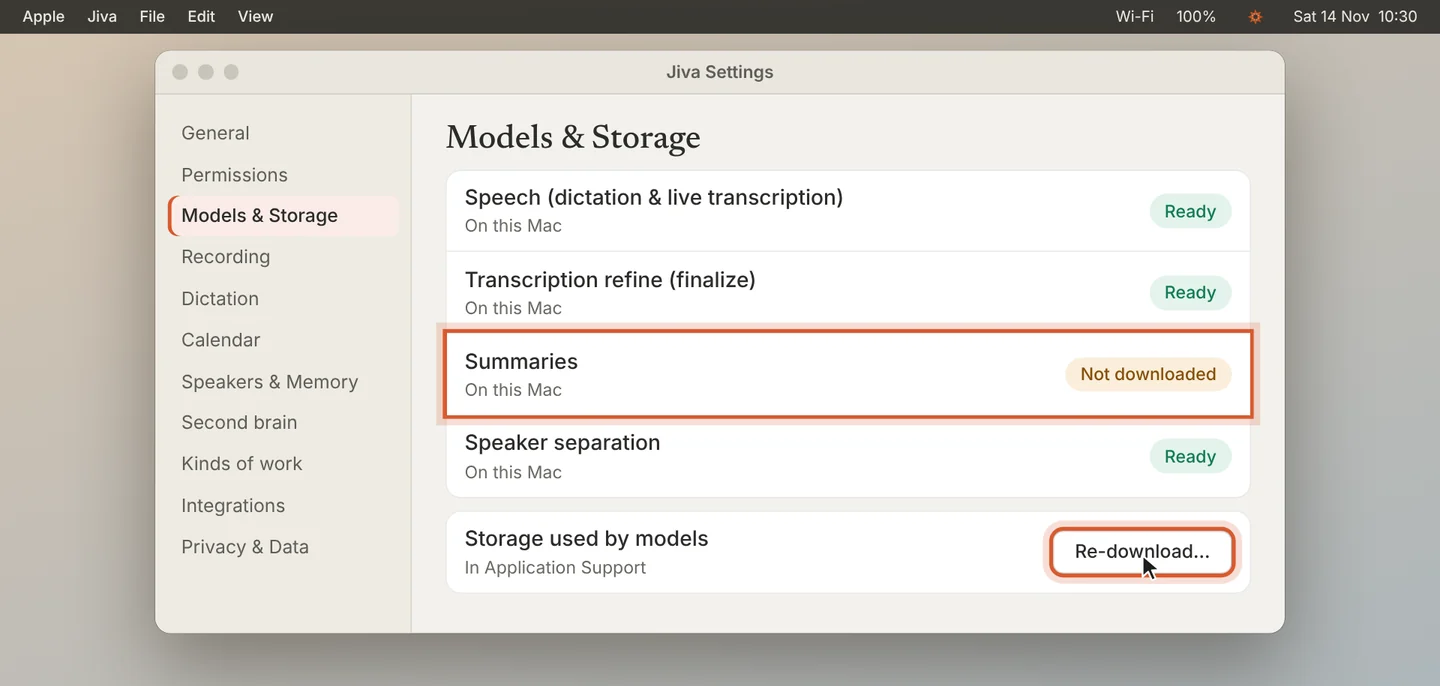
Check the models
Open Settings, then Models & Storage. All four models must say Ready. If one says Not downloaded, click Re-download… and wait.
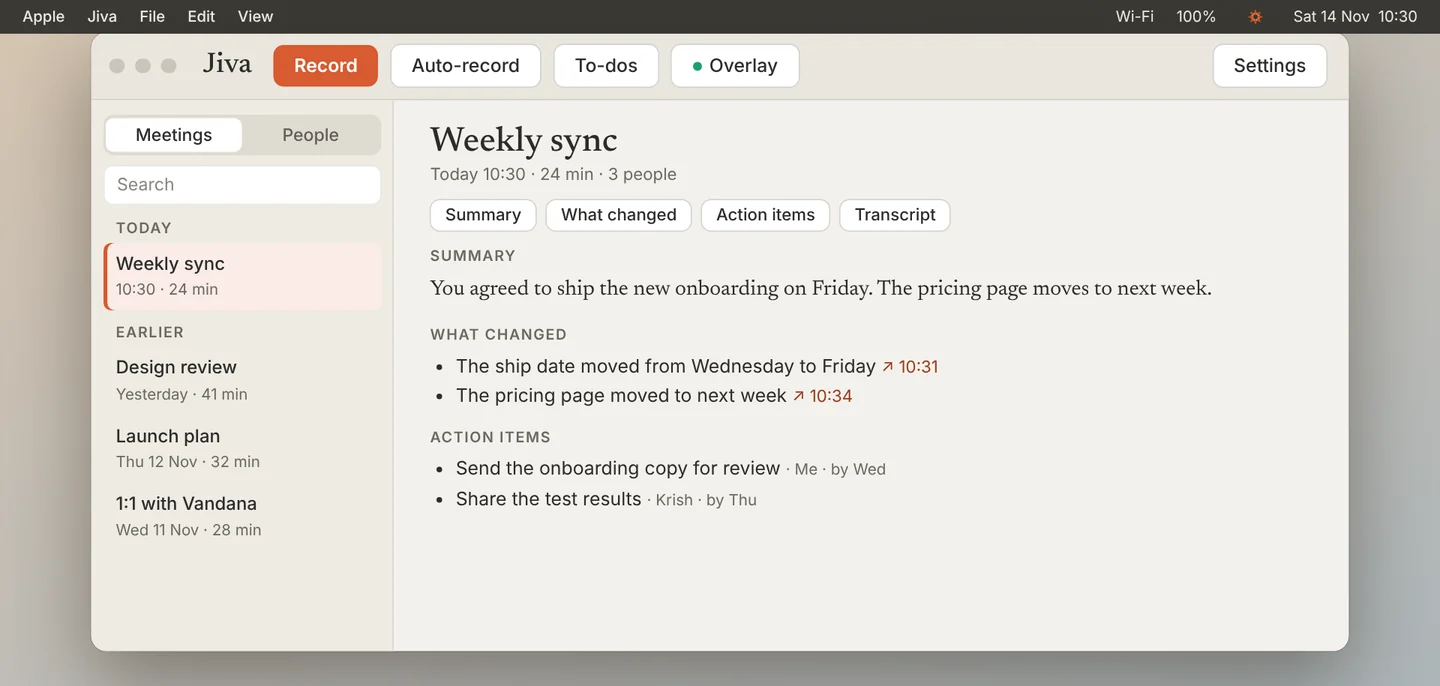
Finalize once more
When the models are ready, choose Finalize Last Meeting again. Your recording was kept, so the notes can still be written.
A recording with no speech in it is discarded, so it leaves no notes.
Other cases
The running summary in the overlay is empty
Read the line on the card: it says why. On a Mac with 8 GB of memory, in Low Power Mode, or when the Mac is hot, the live summary is off. The summary after the meeting is still written.
A model download is stuck
Check your internet connection, then click Re-download…. You need about 5 GB of free space.