1
Open the list
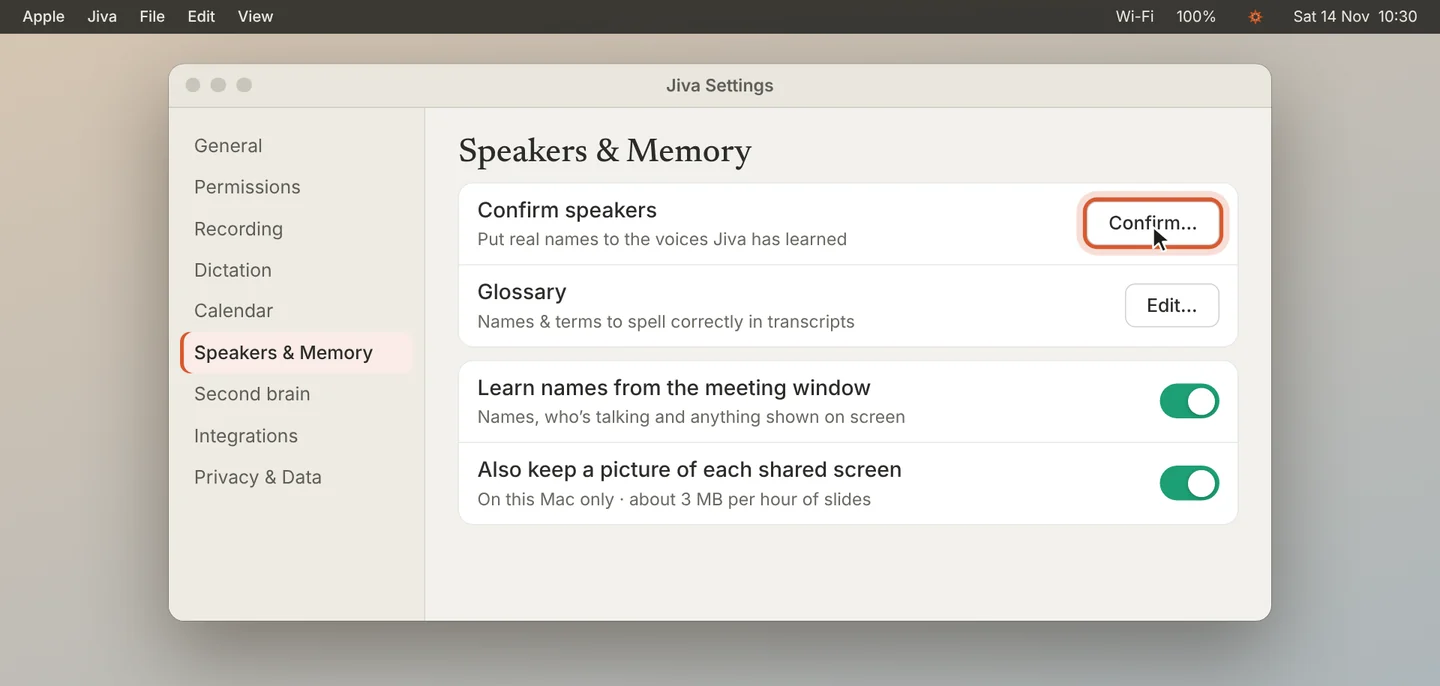
Open Settings, then Speakers & Memory. Click Confirm… next to Confirm speakers.
2
Name a voice
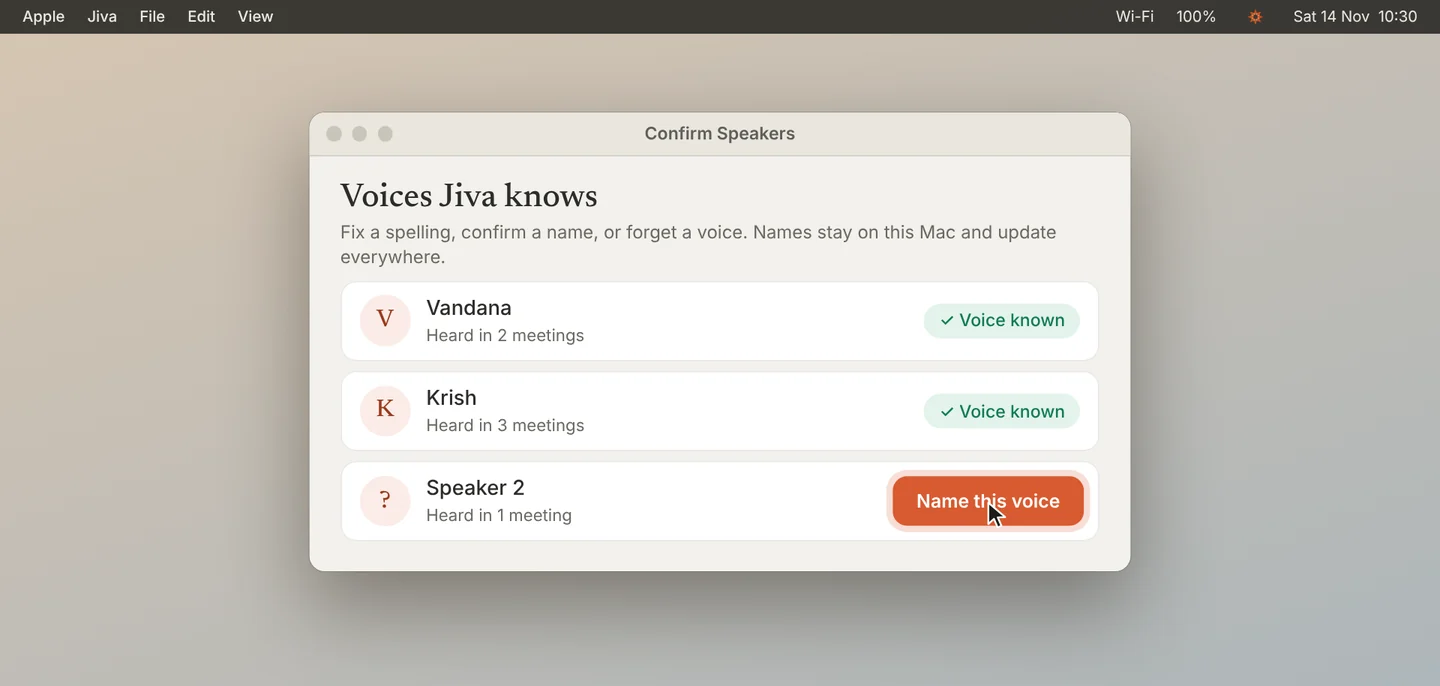
A voice with no name shows Name this voice. Click it and type the name.
3
Fix a spelling
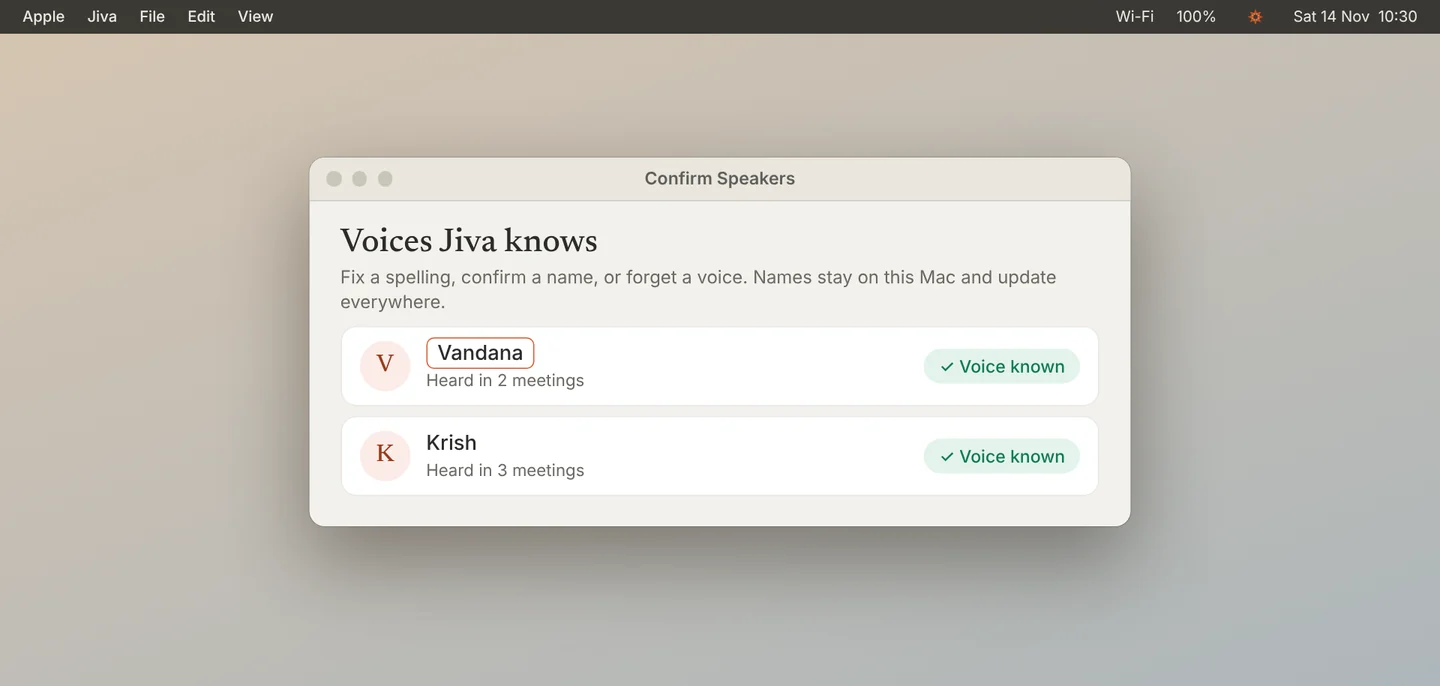
Click a name to edit it. The new spelling appears in every meeting, past and future.
4
Forget a voice
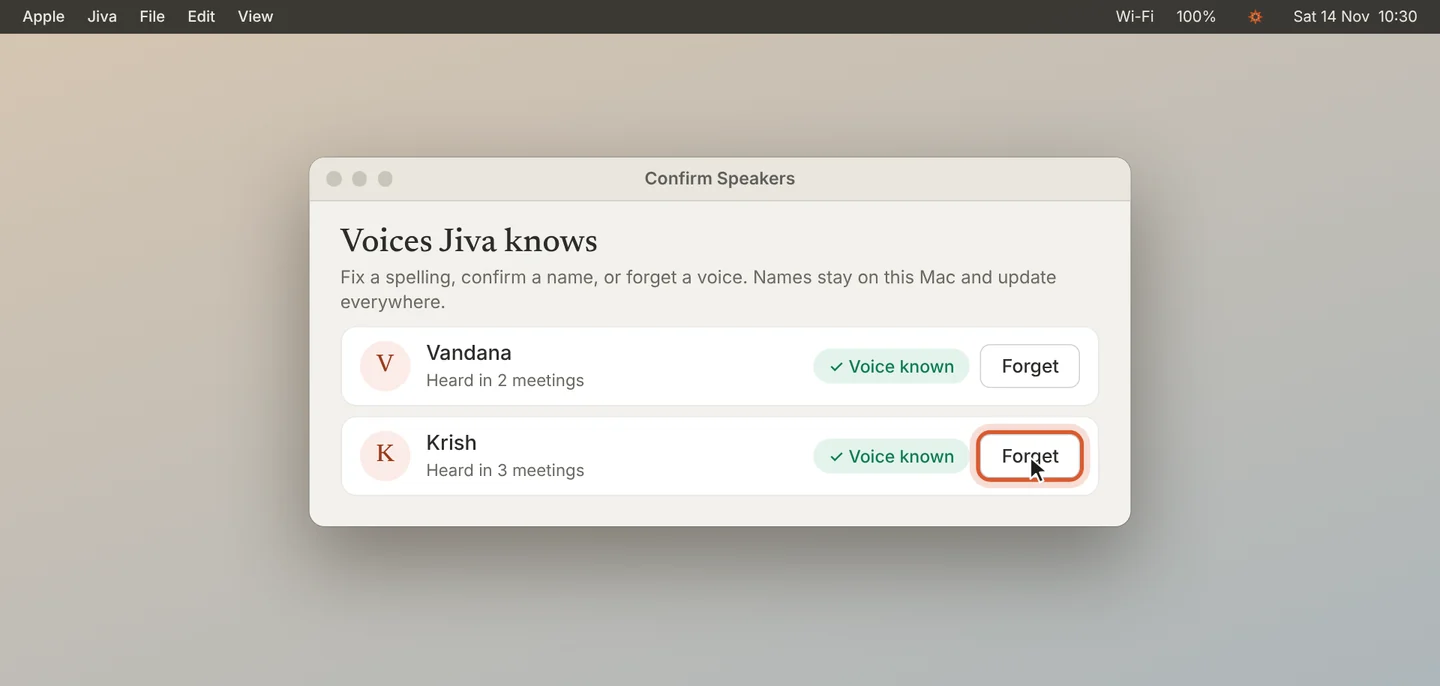
Click Forget to remove a voice. Jiva stops recognising it. Old transcripts keep their text.
Good to know
Your own voice is in the list too. Everything here stays on this Mac.
If something goes wrong
The list is empty
Voices appear after your meetings finalize. Record a meeting first.
Did this guide help?
Next · Guide 4 of 5
Learn names from the meeting window →0:53 video · 4 steps