1
Find the link
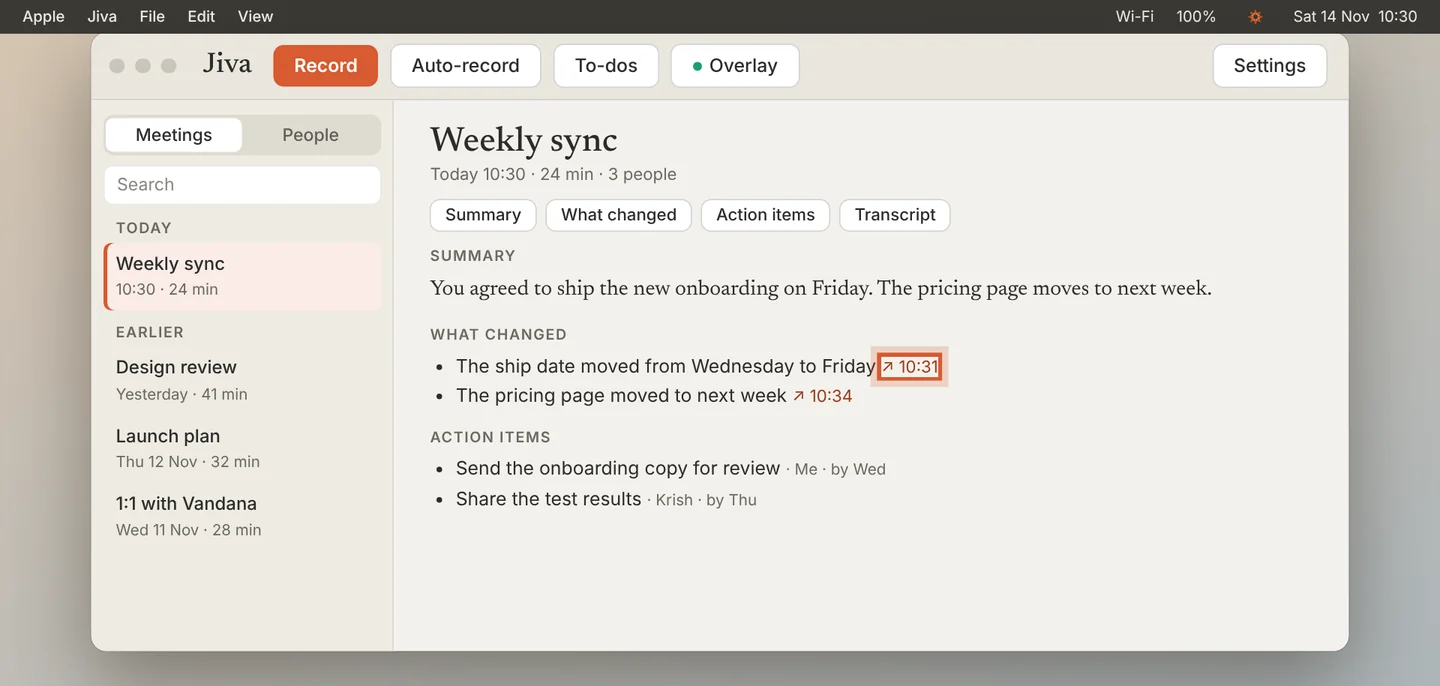
In What changed, each line ends with a small link and a time, such as ↗ 10:31.
2
Click it
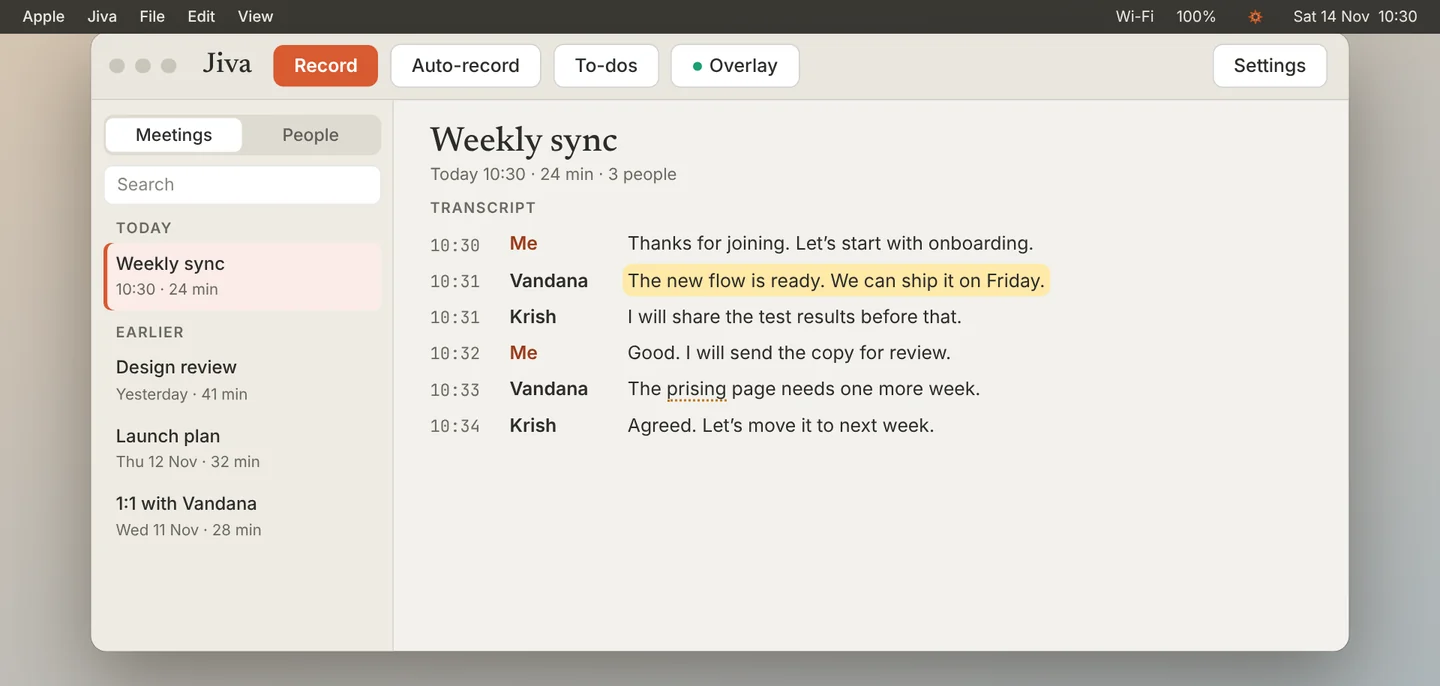
Click the link. The notes scroll to the transcript and the line flashes, so you can read exactly what was said.
3
Notice the unsure words
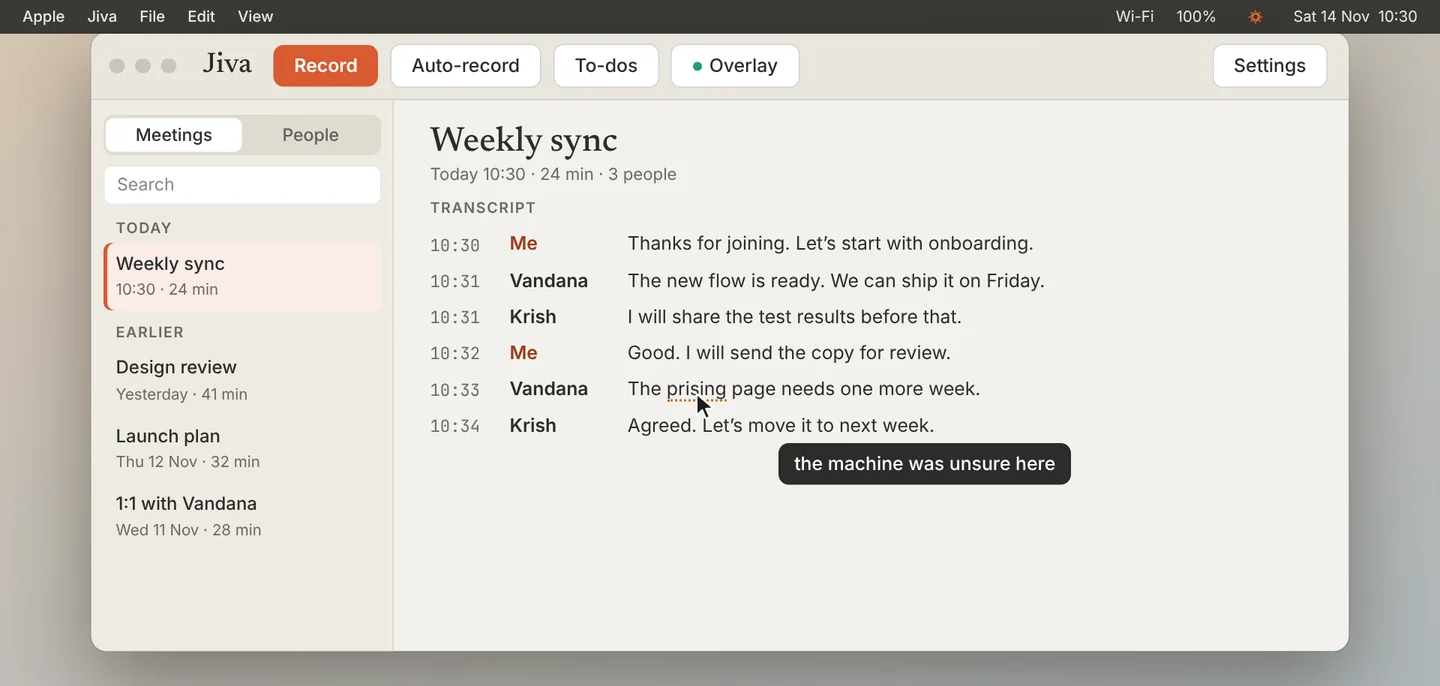
Jiva marks a word or a name it is not sure about. Point at it to see the note. Read that part with care, or play the meeting back in your head before you quote it.
Good to know
Answers from Ask in the overlay have a Source link too.
If something goes wrong
A line has no link
Links appear on What changed and on answers from Ask. The summary does not have links on every sentence yet.
Did this guide help?
Next · Guide 3 of 4
Keep what was shown on screen →1:00 video · 4 steps