Open To-dos
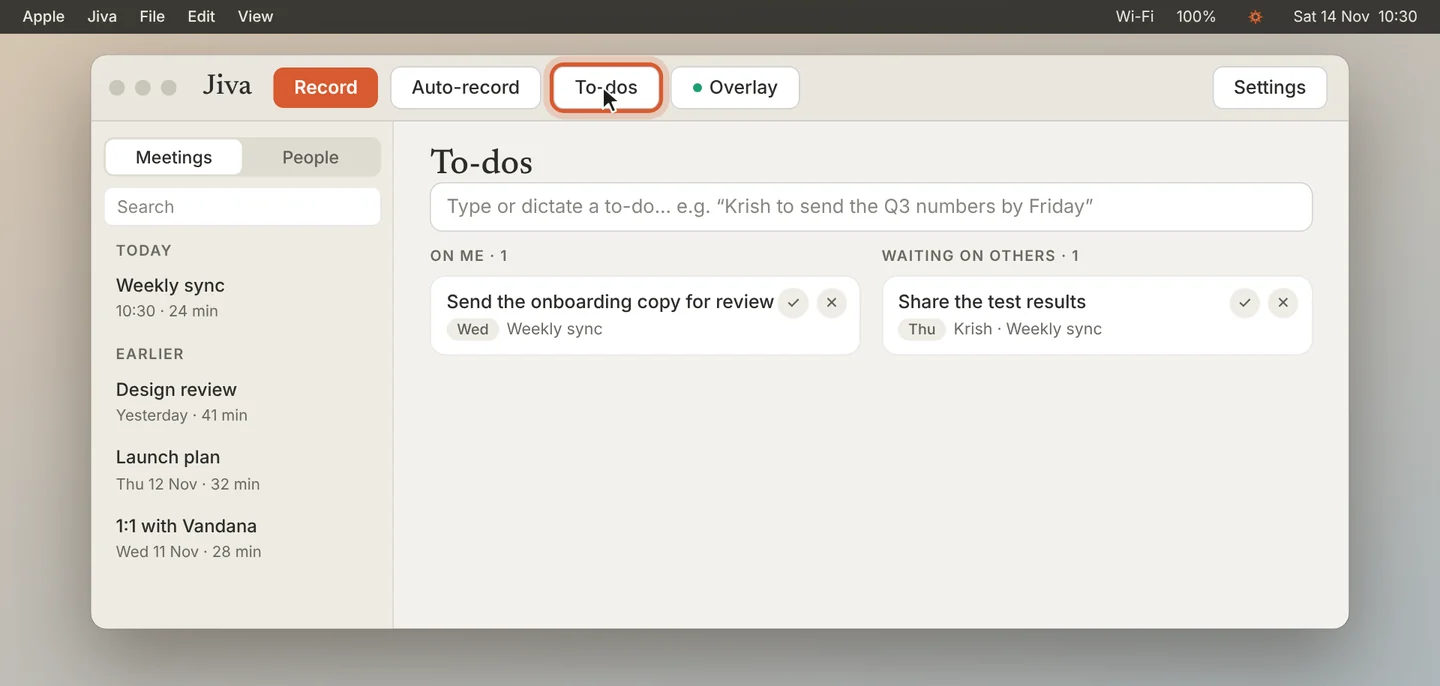
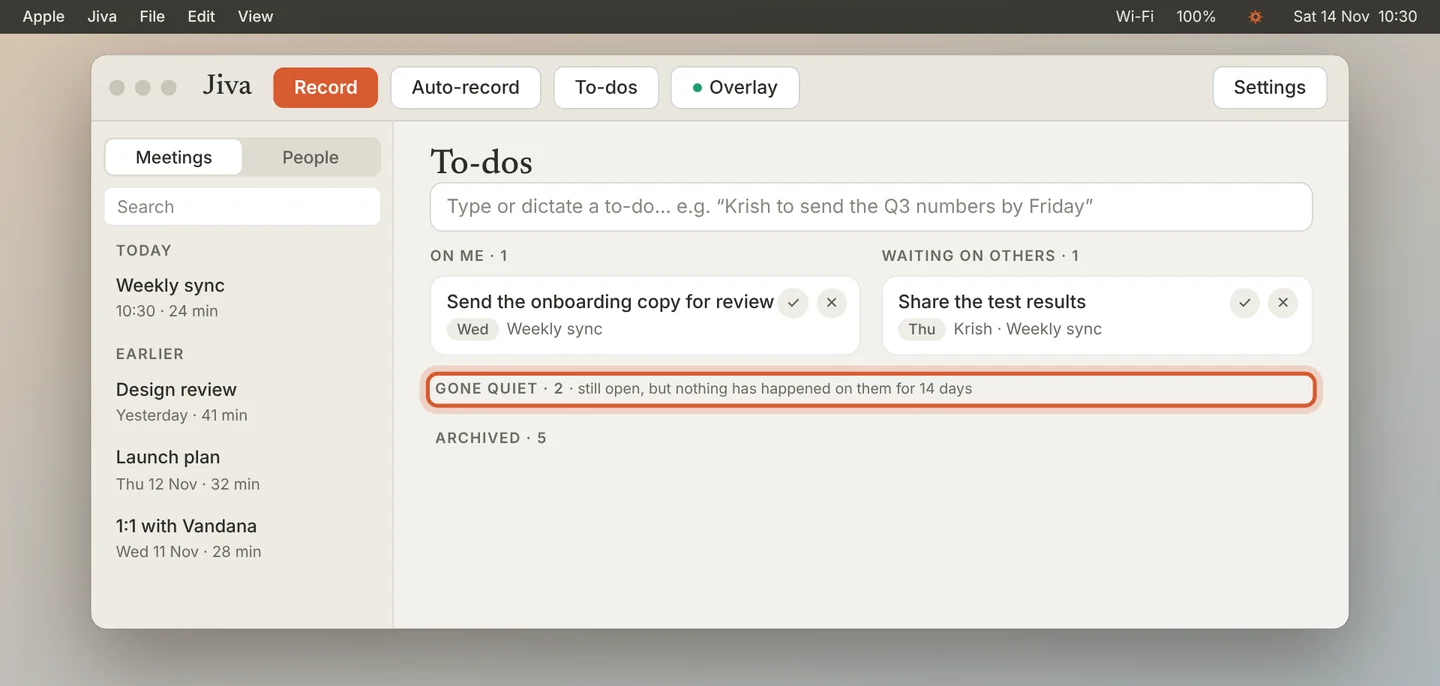
Click To-dos at the top of the Jiva window. On me is what you owe. Waiting on others is what people owe you. Action items from your meetings land here by themselves.
Add a to-do
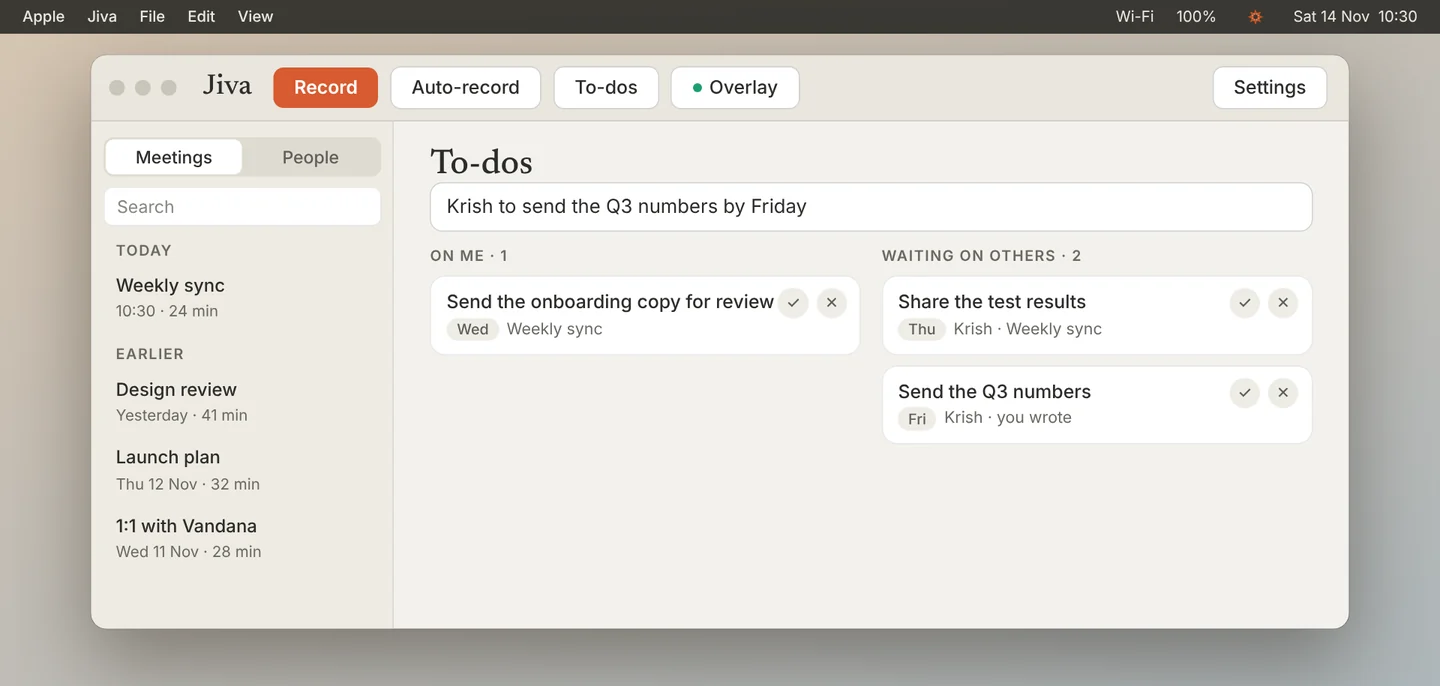
Type a line and press Return, or hold your dictation key and say it. Jiva picks out the date and the person, and puts the line in the right list.
Open a card
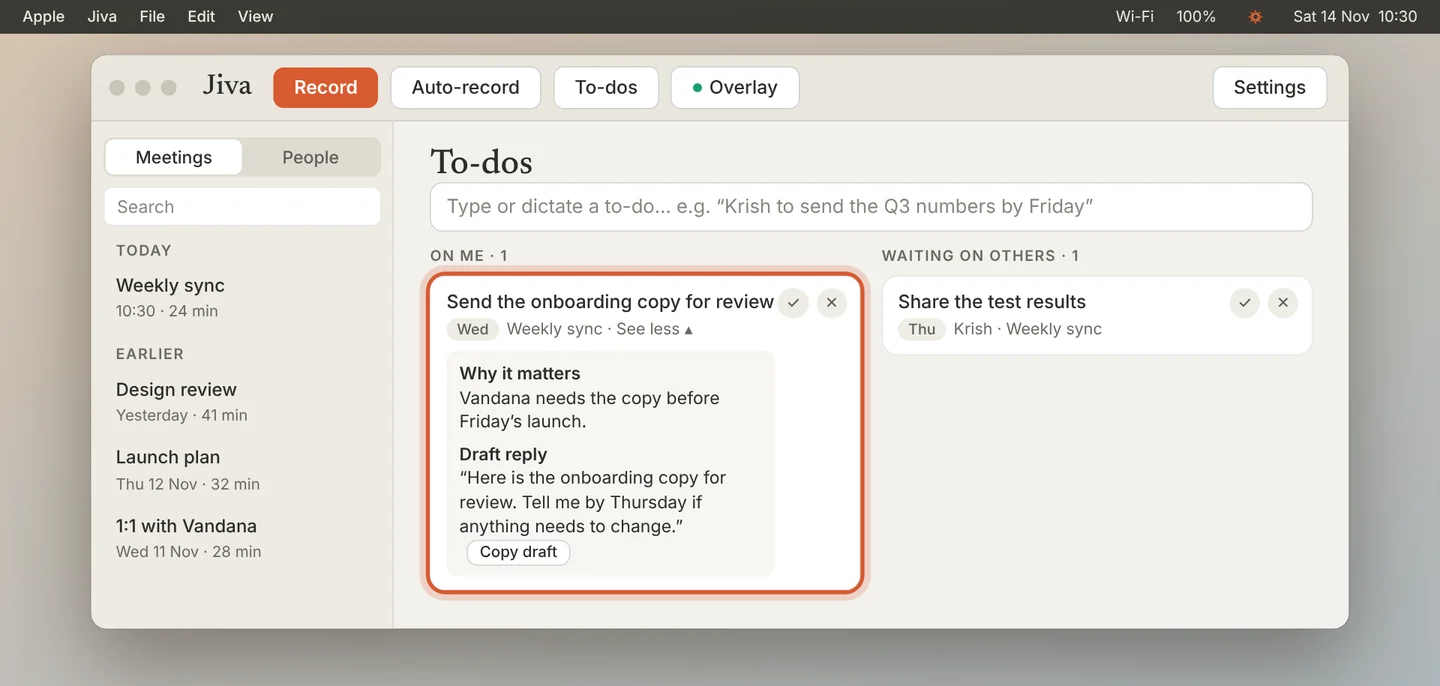
Click See more on a card to see why it matters, where it came from and, when a reply is needed, a draft you can copy.
Finish or remove it
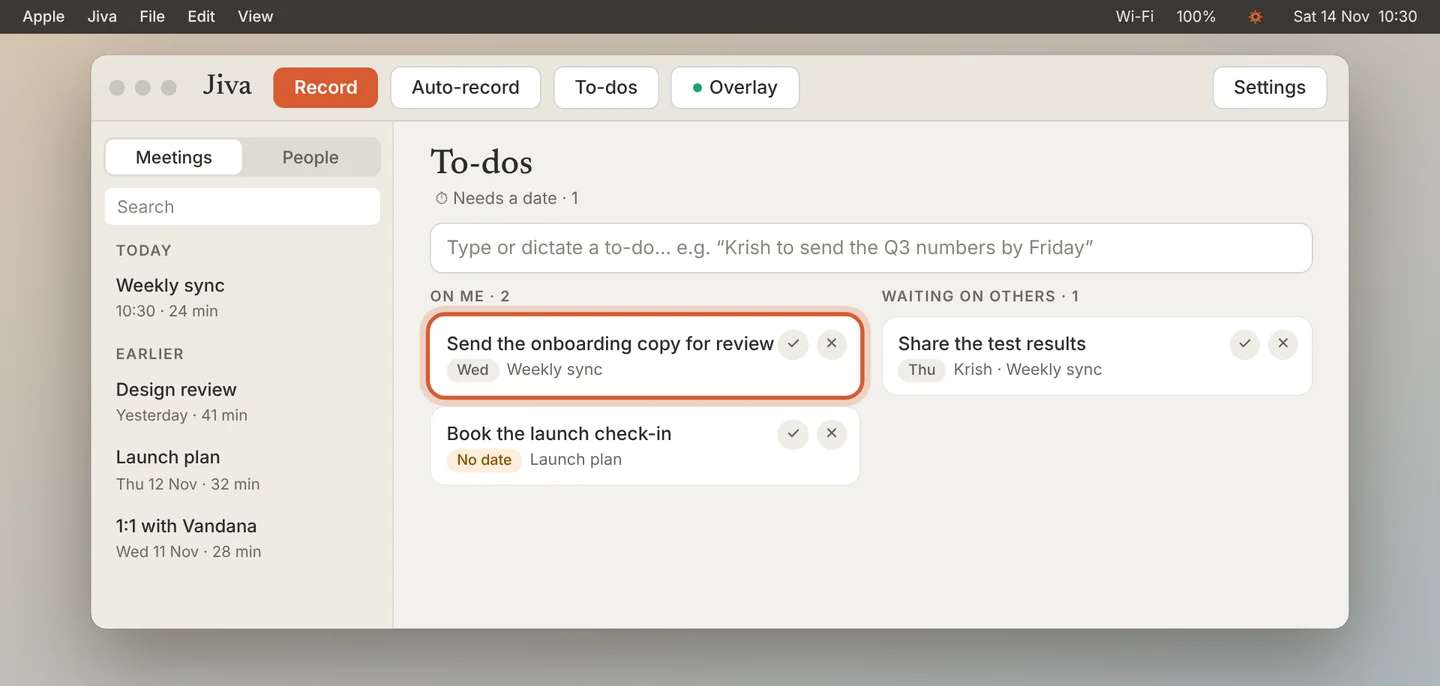
Click ✓ when it is done, or ✕ to remove it. A to-do with no date sits under Needs a date until you pick one.
Find old items
An open item that nobody has touched for 14 days moves to Gone quiet. Items you removed are under Archived. Click Pick up again or Restore to bring one back.
To-dos works without the second brain: you type or dictate, and meetings add their action items. With the second brain on, Claude also adds to-dos from your chat, email and docs, and closes the ones it sees are done.
If something goes wrong
A to-do is in the wrong list
Right-click it and choose Move to On me, or Change owner….
A to-do from Claude is not useful
Right-click it and choose Not useful. Claude will not add it again.