1
Meet a new voice
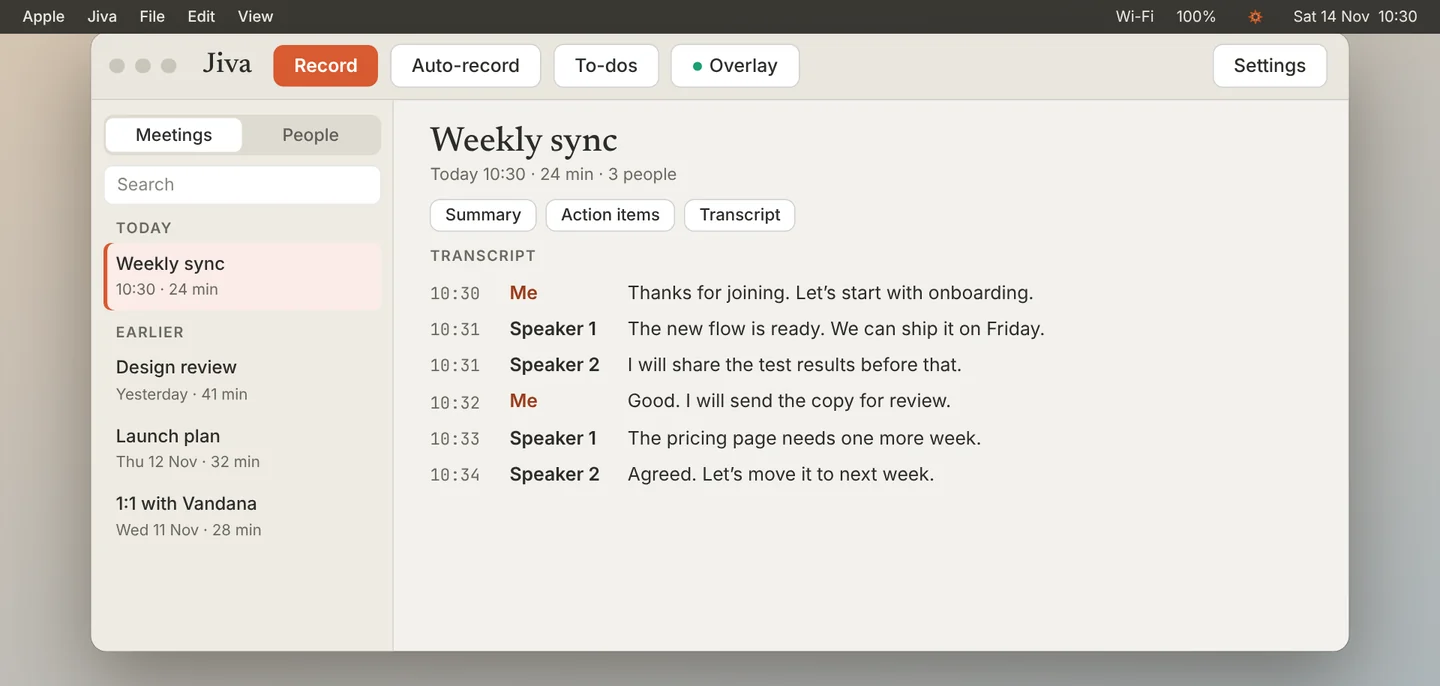
The first time Jiva hears someone, the transcript shows Speaker 1, Speaker 2 and so on. Your own voice is always Me.
2
Name it once
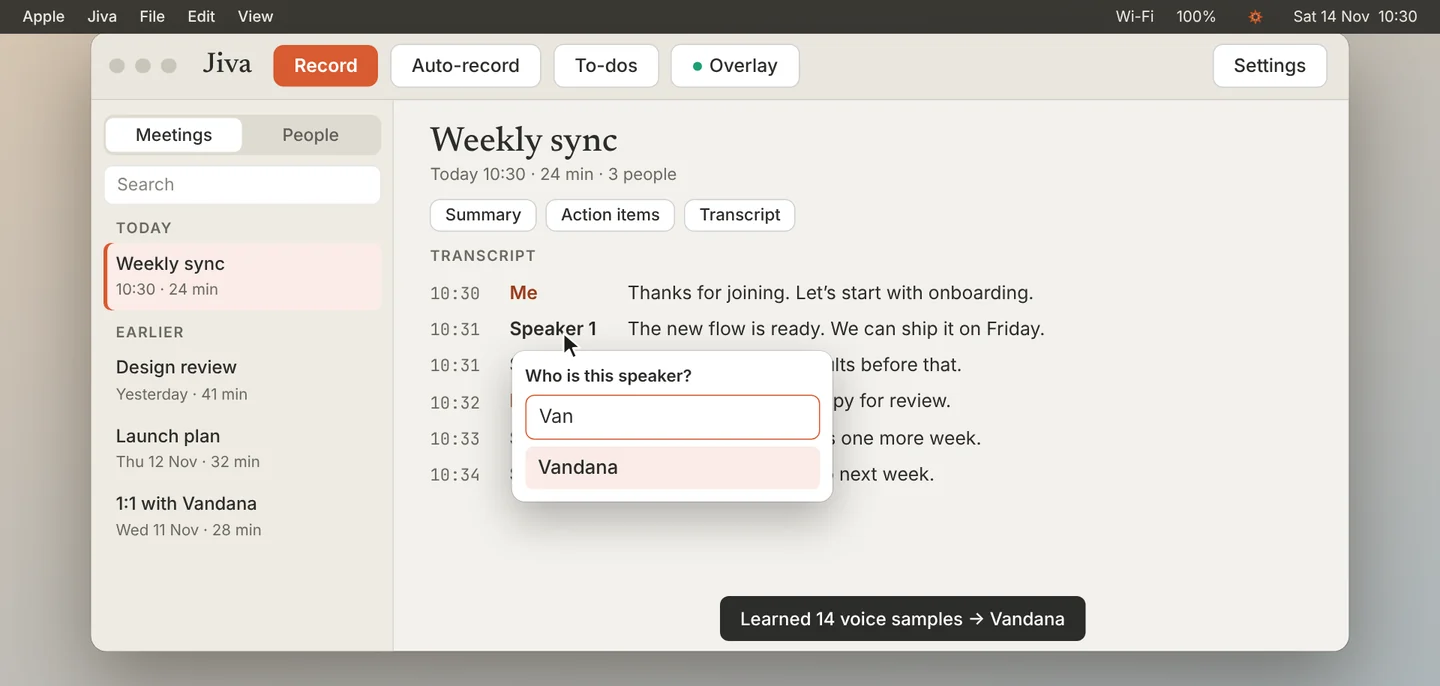
Click the label and type the person’s name. Jiva learns the voice from the lines in this meeting.
3
See it work next time
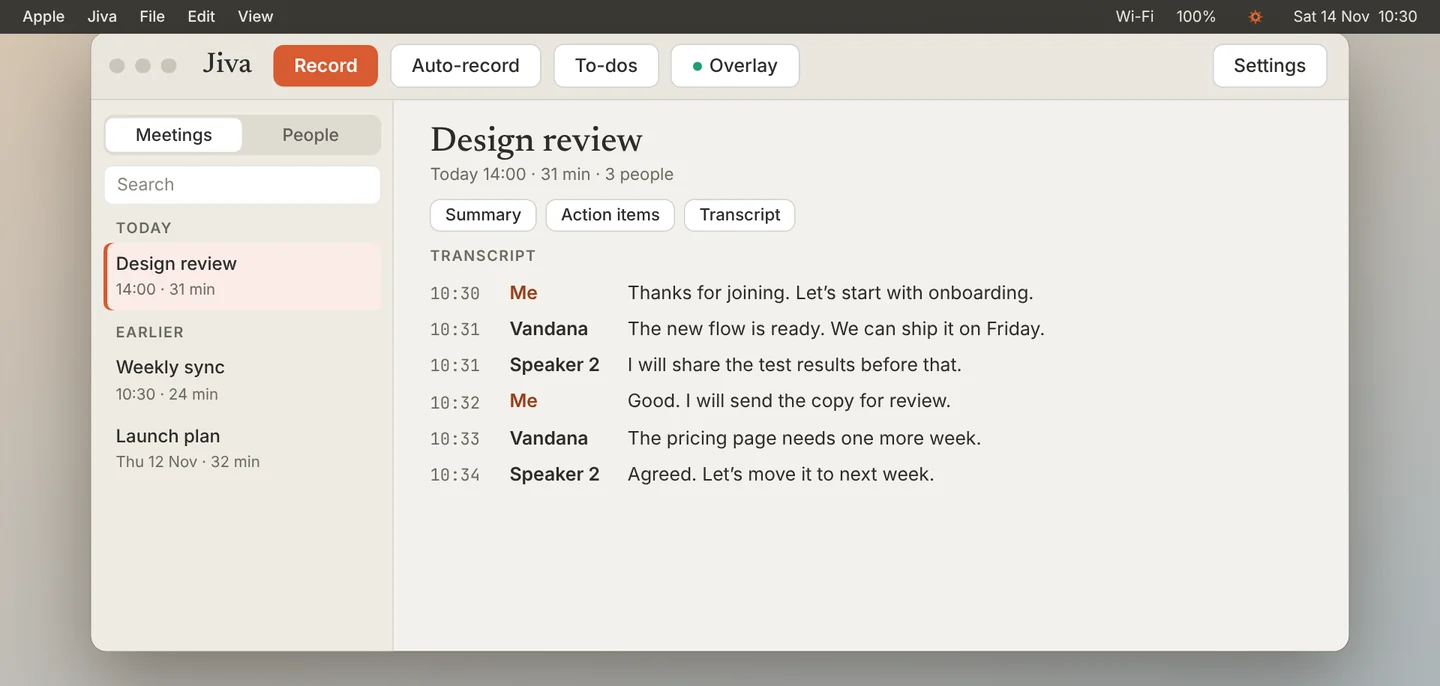
In your next meeting with that person, Jiva recognises the voice and writes the name by itself.
4
See every voice Jiva knows
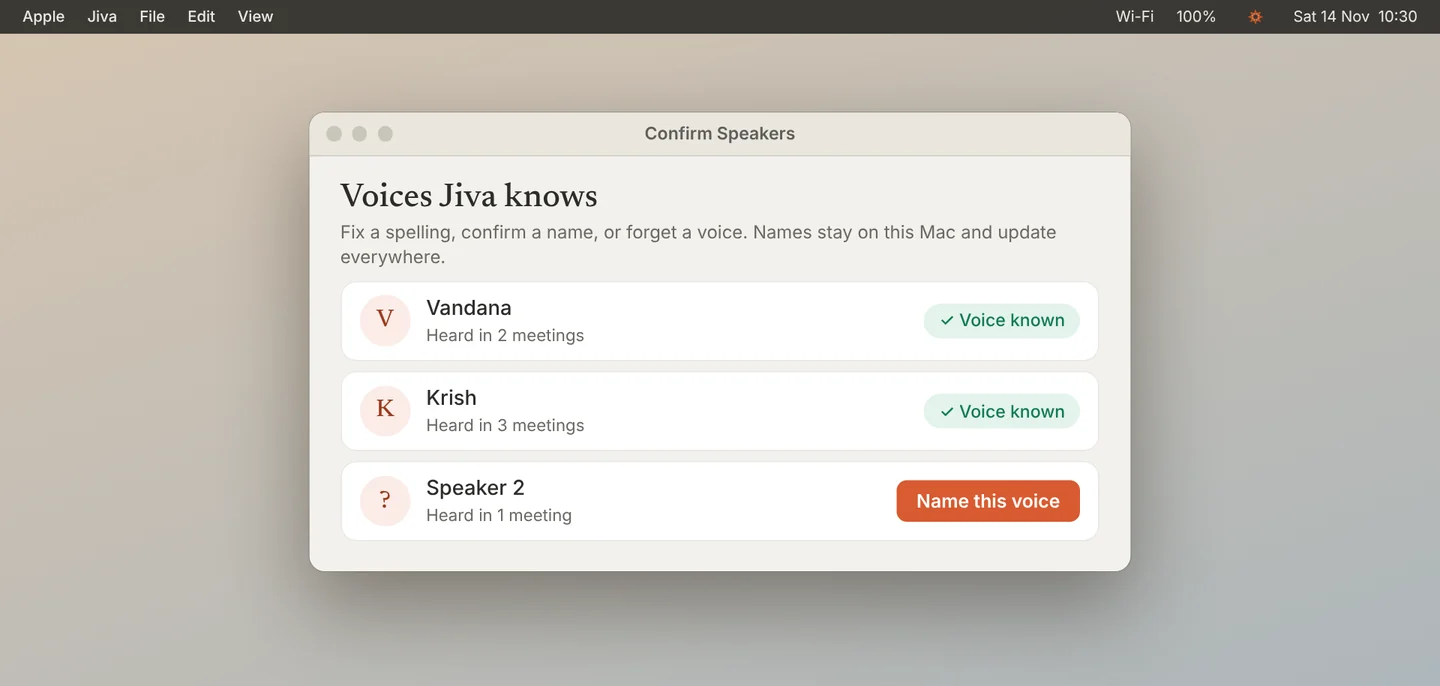
Open Settings, then Speakers & Memory, and click Confirm… to see the list.
Good to know
Voices and names stay on this Mac. Recognition gets better as a person speaks in more meetings; after one short meeting it can still miss.
If something goes wrong
Jiva wrote the wrong name
Click the label and choose the right person. See Fix a wrong or missing speaker name.
Did this guide help?
Next · Guide 2 of 5
Fix a wrong or missing speaker name →0:53 video · 4 steps