Find today’s meetings
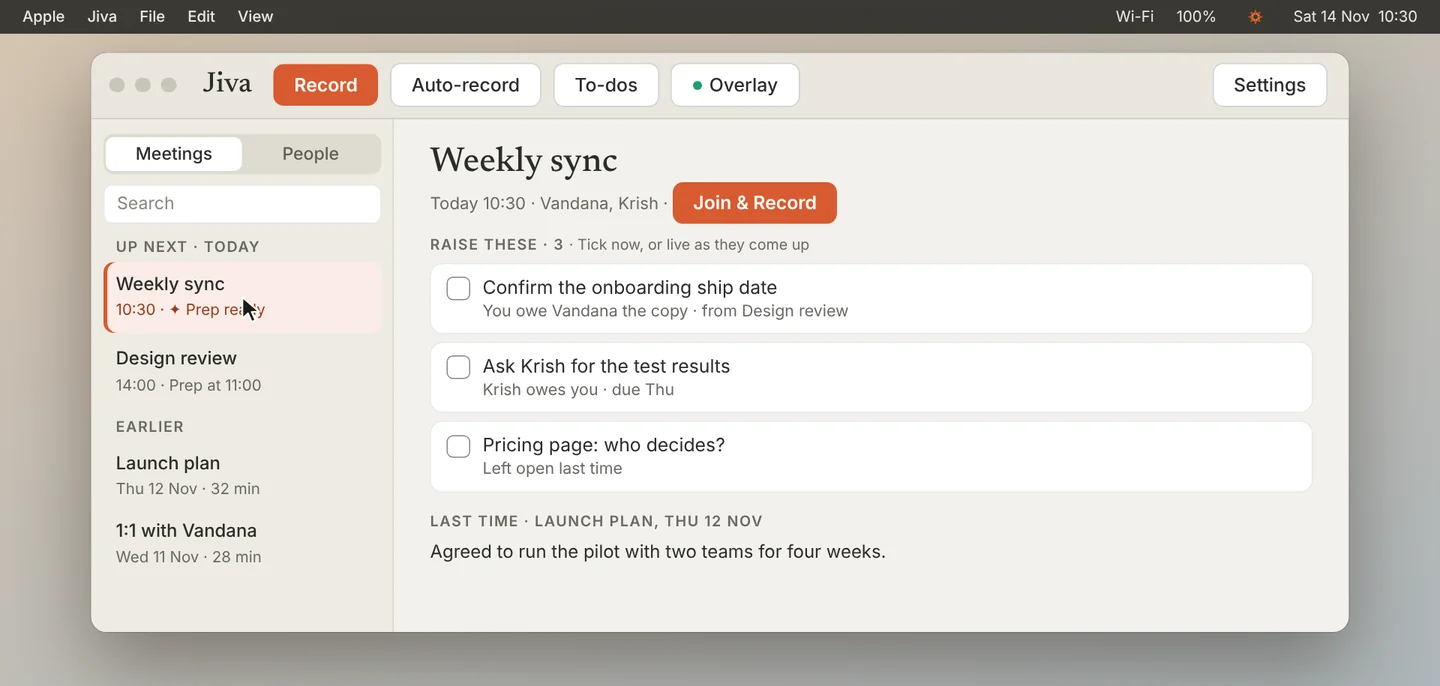
With Google Calendar connected, today’s meetings sit at the top of the Meetings list under Up next. Click one.
Read what to raise
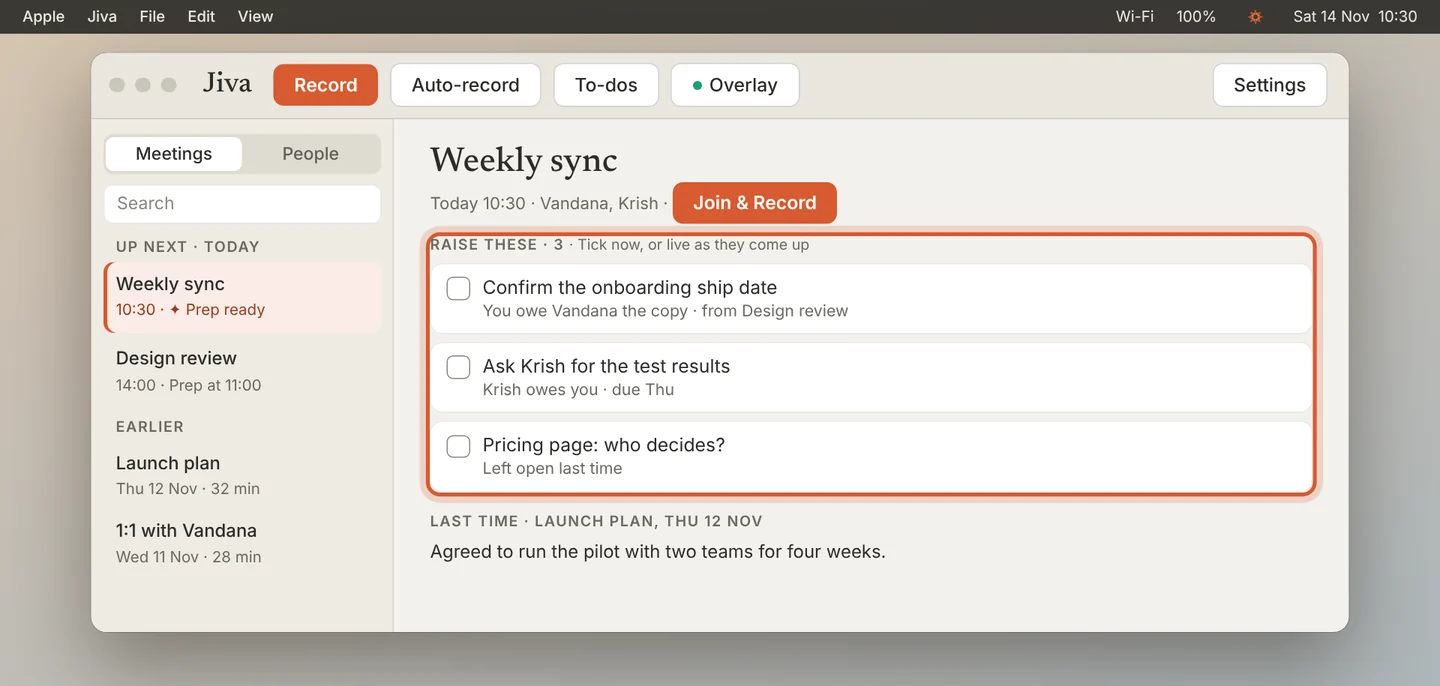
Raise these lists what you owe the people in the meeting, what they owe you, and questions left open last time. Last time shows what you agreed before.
Add notes and tick points
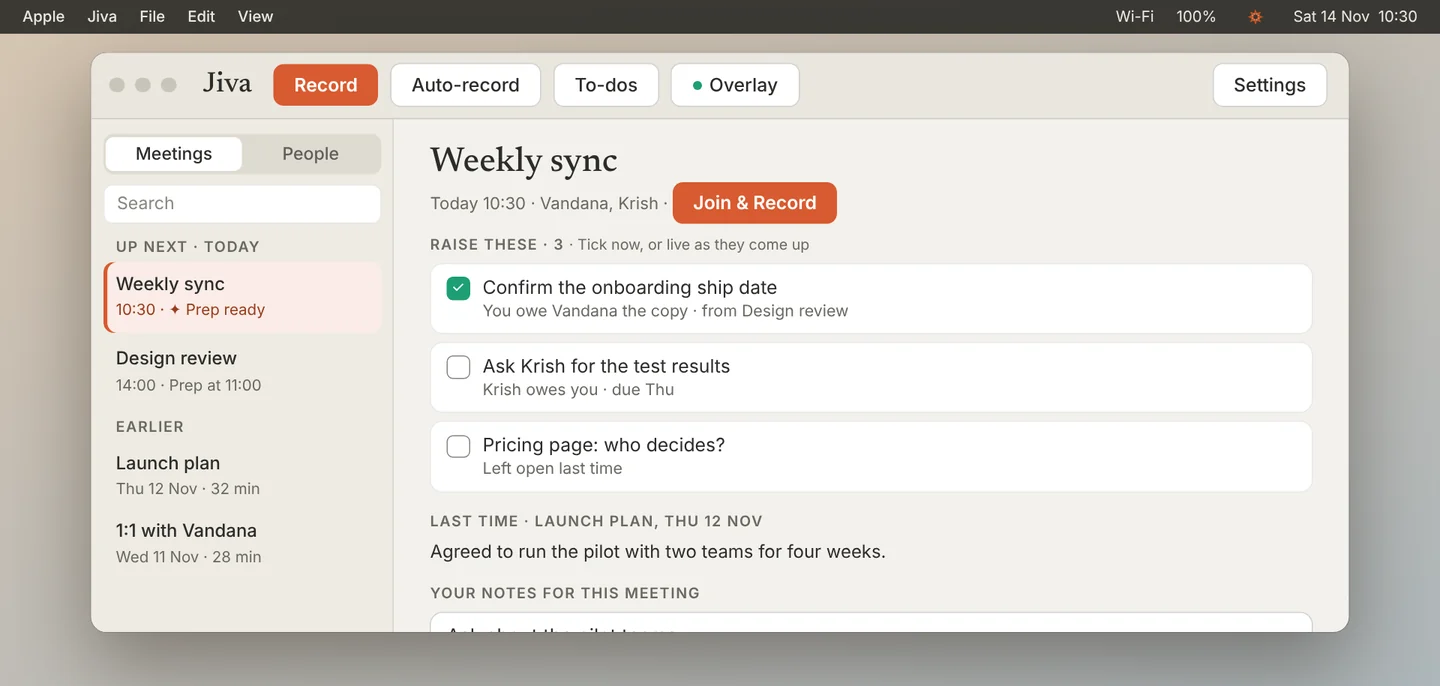
Type your own agenda in Your notes for this meeting. Tick a point if you have already dealt with it.
Let the points tick themselves
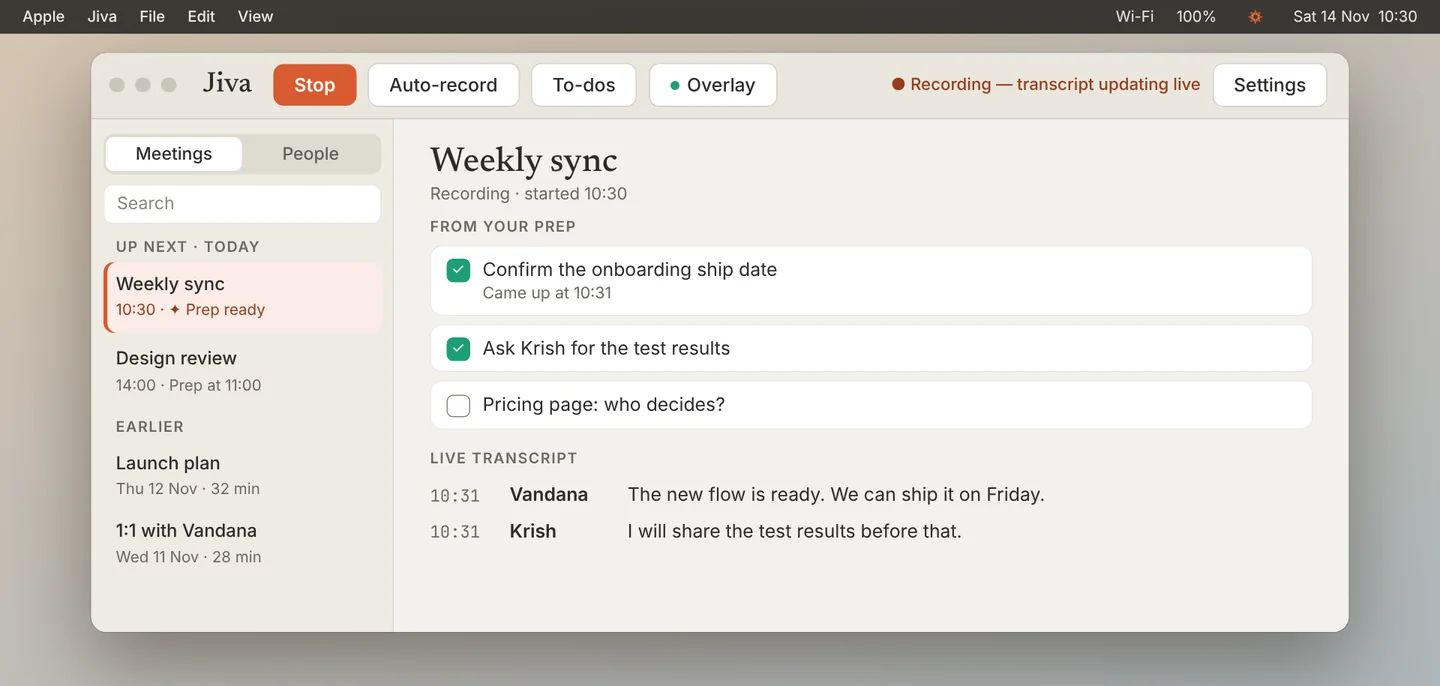
When you record the meeting, the prep becomes a checklist above the live transcript. A point ticks itself when it comes up.
See the outcome
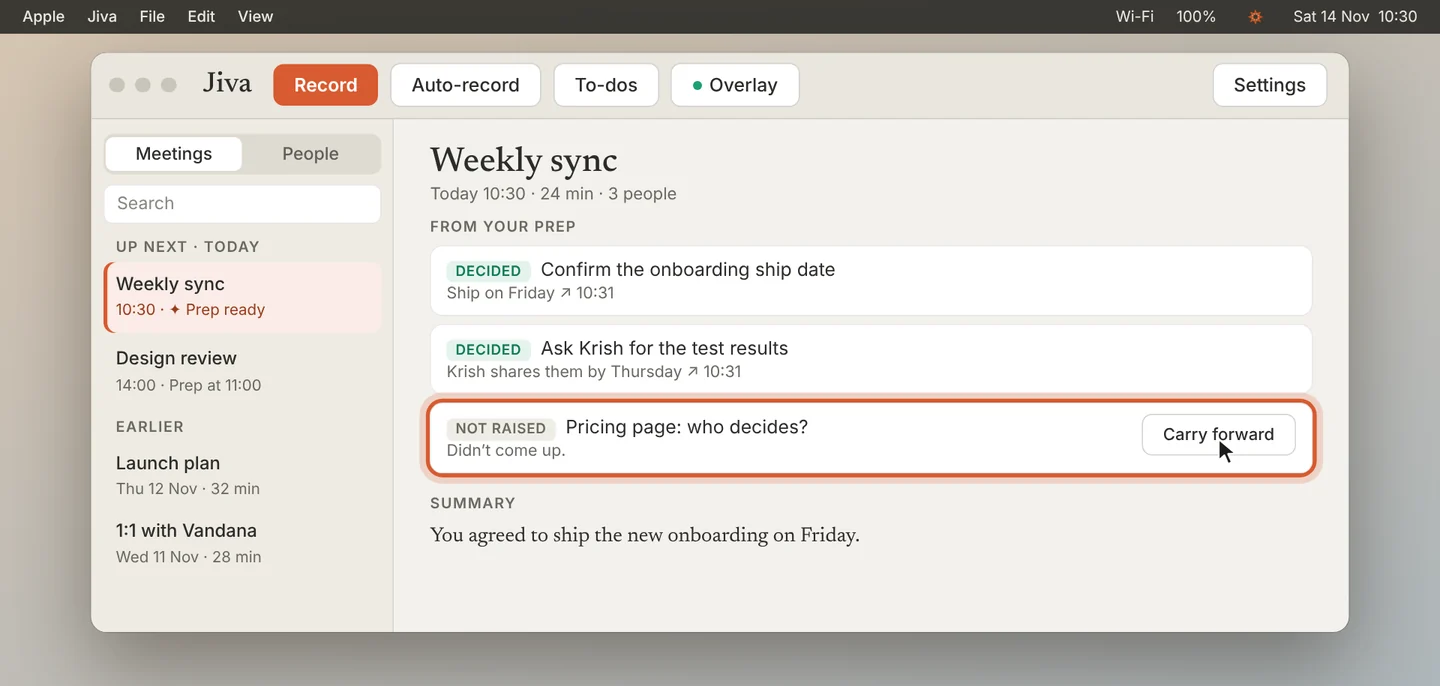
After the meeting, From your prep shows which points were decided and which were not raised. Click Carry forward to keep a point for your next meeting with the same people.
Without the second brain, Jiva builds the prep on your Mac from your meetings and to-dos. With it, Claude writes each prep about 3 hours before the meeting and refreshes it every hour. Prep hides itself while you share your screen.
If something goes wrong
There is no Up next section
Connect Google Calendar first. See Connect Google Calendar.
The prep says “Nothing open with these people”
You have no open to-dos or earlier meetings with them. Add your own notes.